
Edit Scanned PDF

Edit a scanned PDF online instantly with our secure editor. Instantly update documents, add text, or sign forms in minutes.

Choose your File

or drag and drop

SSL Encryption - Supports PDF up to 100 MB and other formats and extensions up to 25 MB

Excellent 4.6 out of 5

With our easy-to-use, specialized PDF editor tool, you can:

  • Correct information in contracts, reports, and legal paperwork.
  • Add comments or signatures to scanned documents.
  • Update forms and office paperwork without reprinting.
  • Prepare professional documents quickly for your team or clients.

The most complete range of PDF editing tools is right at your fingertips thanks to MergedPDF!

How to Edit a Scanned PDF Document

Follow these simple steps to edit your document quickly and keep your workflow moving.

1

Upload your PDF

Select the scanned document from your device and upload it securely to the editor.

2

Use editing tools

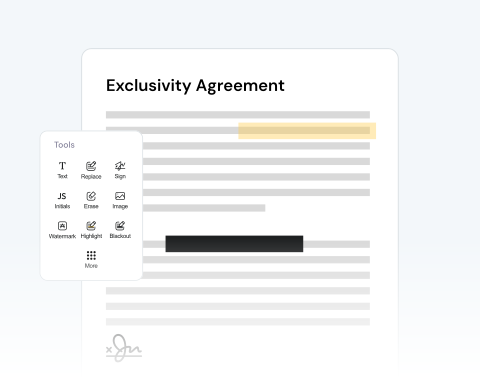
Add text, highlight sections, insert images, draw annotations, erase elements, or adjust content directly on the page.

3

Organize pages if needed

Split, merge, or rearrange pages to prepare a clean and professional final document.

4

Download or share

Download your edited file instantly or send it directly.

Edit Scanned PDFs Online Fast and Securely

Fully online document editing

Our editor runs entirely online. You can modify scanned files without installing software or managing updates. Upload your file, edit instantly, and download the finished document from any browser.

Fast processing for busy workflows

Deadlines matter. Our tool processes files quickly, so you can edit a scanned PDF document in minutes. Finalize contracts and update documentation without delays.

Practical and intuitive interface

The editing dashboard is clean and straightforward. You can edit text in PDF pages, add annotations, and insert images with just a couple of clicks.

Compatible with Windows, macOS, and Linux

You can access the editor from Windows, macOS, or Linux systems. No need to worry if you or your team work across different operating systems.

Works on PC, tablets, Android, and Apple devices

Edit documents from a desktop in the office or from a smartphone while traveling. The tool supports PCs, tablets, Android, and Apple devices, so your files stay accessible anywhere, at any time.

Secure document handling

Document security is essential when working with contracts, research data, or internal files. Every upload is protected by SSL encryption. Your documents always remain private during editing.

MergedPDF Offers Multiple PDF Solutions

Start by creating a free account and make it easy to edit, convert, compress, and split your files!

  • Edit, convert, merge, and more with our platform
  • Get unlimited edits and downloads
  • Convert in multiple formats
  • 100% private and secure uploads and editing
  • 24/7 customer support

Frequently Asked Questions About Editing Scanned PDFs

Everything you need to know about editing scanned documents.

Can you edit a scanned PDF?
Yes. Our editor allows you to modify scanned documents directly online. After uploading your file, you can add text boxes, highlights, annotations, drawings, and images. This makes it possible to update or correct information or add notes without recreating the document.
How can I add new text to a scanned PDF?
To add new text to a scanned PDF, open the document in the editor and select the text tool from the toolbar. Add a text box anywhere on the page, and type your content. You can then adjust the font, size, and color to match the document style.
Can I add signatures or annotations to my scanned PDF?
Yes. Our toolbar includes signature and annotation tools, so you can sign documents or mark important sections. You can upload an existing signature, draw one with your cursor, or type it directly into the document.
Do I need to install any software or extensions to edit scanned PDF documents?
No installation is required. The editor runs entirely in your browser, allowing you to edit scanned files online without downloading programs or extensions.
Is it safe to upload scanned documents to MergedPDF?
Yes. Security and privacy are a priority. All files uploaded to MergedPDF are protected by SSL encryption. Your private documents remain confidential at all times. After editing, you can also permanently delete files from the cloud to maintain full control of your data.
Can I use the editor to edit scanned PDFs from my smartphone?
Yes. MergedPDF works smoothly on mobile browsers, allowing users to edit scanned documents from both iOS and Android devices. This makes it easy to review contracts, update forms, or annotate reports directly from your phone.

Explore Other Tools Besides Scanned PDF Editor
