
PDF Converter

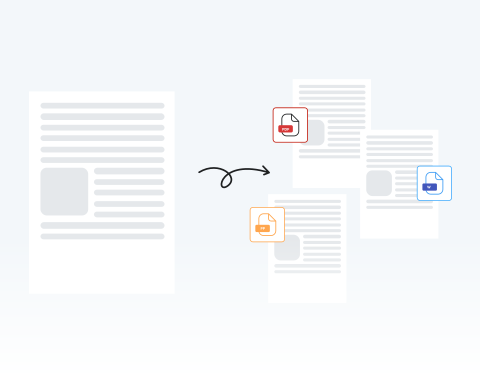
Easily convert, edit, and manage your documents with our online PDF Converter in seconds, with secure, reliable, and universal compatibility across all devices and browsers.

Choose your File

or drag and drop

SSL Encryption - Supports PDF up to 100 MB and other formats and extensions up to 25 MB

Excellent 4.6 out of 5

Using our PDF file converter, you can:

  • Convert static PDFs into editable Word, Excel, or PowerPoint files instantly.
  • Edit a file without losing the quality of the format, font, or image.
  • Turn scanned images, presentations, and more into professional PDFs.

Find out what our tool can do and try our PDF converter for work or personal use while keeping the same format and protecting your data.

How to Use Our PDF Converter Tool

Converting your files to and from PDF with our tool is simple. Just follow these simple steps:

1

Upload your file

Drag and drop your document into our tool or select "Upload."

2

Make modifications (if needed)

Make any last-second edits if necessary.

3

Choose the target format

Select the desired PDF format or layout.

4

Download

Click "Convert" and download your file instantly.

Convert Files in Seconds for Effective Document Management With MergedPDF

Universal file converter

Easily transform a wide range of formats, such as Word documents, Excel reports, and image assets, into standardized PDFs to make sure your documents can be viewed correctly by clients or colleagues.

Effortless PDF conversion to speed up workflows

Enjoy a smooth user experience with our simple and intuitive design, which allows you to convert files to PDFs with just a few clicks, making it easy to meet tight deadlines or quickly finalize assignments.

Secure and reliable file conversion

Your privacy matters. To keep your information safe, all files are encrypted during conversion and automatically deleted from our servers.

Works with any browser

You can access our PDF converter from Chrome, Firefox, Safari, or any other browser without needing additional plugins or software to handle documents on shared devices. You only need an internet connection to get started.

Stay productive on any device

Our tool is flexible, as it works on computers, tablets, and smartphones to convert files at any time, which allows you to convert urgent invoices or share study notes directly from your mobile device anywhere in the world, at any time.

High-quality file conversion

Don't let formatting errors ruin your hard work. Our online PDF converter makes sure that fonts, resolution, and layouts stay intact during conversion, so resumes, thesis papers, and professional presentations look exactly as they should.

MergedPDF Offers Multiple PDF Solutions

Start by creating a free account and make it easy to edit, convert, compress, and split your files!

  • Edit, convert, merge, and more with our platform
  • Get unlimited edits and downloads
  • Convert in multiple formats
  • 100% private and secure uploads and editing
  • 24/7 customer support

Frequently Asked Questions About Our PDF Converter

Everything you need to know about converting documents.

What is a PDF converter?
A PDF converter is a specialized tool that changes a document's file format while keeping its original content. It allows you to transform PDF files into editable formats like Word, Excel, or PowerPoint, or vice versa (converting images and documents into PDFs) to edit text, analyze data in spreadsheets, or make sure files are universally accessible and secure.
Will the file converter preserve the original formatting?
Yes, our PDF converter carefully keeps your document’s layout, fonts, images, and other elements during conversion. This guarantees the final PDF reflects your original file’s appearance and maintains its professional quality.
What file formats does the MergedPDF converter support?
Our platform supports a wide range of formats, including Word, Excel, PowerPoint, JPG, and PNG. Using these files, you can convert to and from a PDF in seconds.
Is it secure to convert files to and from PDF format?
Absolutely. We dedicate ourselves to your security by using SSL encryption to safeguard your data during file transfers and conversions.

With all of our advanced security protocols, we prioritize guaranteeing the complete privacy and protection of your information.
Can I edit or annotate my file before I convert it?
Yes, our tool’s features allow you to make edits or add notes directly within our online converter.

This will help you make sure that your document is finalized and customized correctly before being transformed into a high-quality PDF file.
Does converting a PDF to an image affect the resolution?
Our online PDF converter always provides high-quality output. When converting PDFs to images, we maintain the highest possible DPI to make certain that text remains readable and graphics stay sharp, even when you zoom in.

Discover Other Tools Besides PDF Converter
