
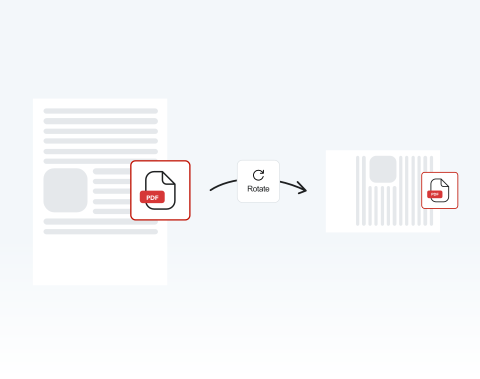
Rotate PDF

Instantly rotate pages in your PDF with our secure online tool. Turn pages left, right, or upside down in just a few clicks.

Choose your File

or drag and drop

SSL Encryption - Supports PDF up to 100 MB and other formats and extensions up to 25 MB

Excellent 4.6 out of 5

Using our Rotate PDF tool, you can quickly:

  • Correct pages that were scanned in the wrong orientation.
  • Turn pages sideways to make reports or presentations easier to read.
  • Adjust pages without affecting your PDF’s quality.

Find out how to rotate pages using MergedPDF below.

How to Rotate a PDF

With MergedPDF, you have a variety of editing tools at your disposal. Here's how to rotate a PDF file and save it:

1

Upload the PDF

Drag and drop the file to rotate or use the "Upload" button.

2

Choose pages

Click on "Rearrange Pages" on the toolbar, and mark the pages you want to rotate.

3

Click to rotate

Use the "Rotate Left" and "Rotate Right" buttons to turn the pages 90 degrees.

4

Save your rotated PDF

Download your document when you are satisfied with it.

Why Choose MergedPDF as Your PDF Rotator Tool?

Rotate PDF documents online

Why waste time installing software to flip your documents? With our PDF Converter, you can rotate PDFs online. It’s easily accessible and all you need is the internet!

Create the ideal PDF

You can do much more than simply rotate PDF pages. With MergedPDF, you have access to a range of user-friendly editing tools. Make your PDF exactly what you want it to be with ease!

Use our PDF rotation tool across all devices

Being 100% online, you can use our platform on any device with an internet connection: PCs, Macs, tablets, smartphones — you name it! Our tools are also supported by all browsers and operating systems.

Keep your documents secure

Your privacy and security are a top priority. We encrypt all files and data to keep them safe. After you rotate and save a PDF, we delete it from our servers for security.

Maximize productivity

If you’re planning to share your document so that others can work on it, you can do it directly from our site after rotating it and making any other changes.

Effortless PDF rotation

Designed for maximum efficiency and convenience, you’ll find our Rotate PDF tool simple to use. PDFs can be hassle to edit, but MergedPDF makes it easy.

MergedPDF Offers Multiple PDF Solutions

Start by creating a free account and make it easy to edit, convert, compress, and split your files!

  • Edit, convert, merge, and more with our platform
  • Get unlimited edits and downloads
  • Convert in multiple formats
  • 100% private and secure uploads and editing
  • 24/7 customer support

Frequently Asked Questions About Rotating PDFs

Everything you need to know about rotating PDF pages.

Can you rotate a PDF?
Yes, you can rotate a PDF easily with MergedPDF. Just upload your file, open the editor, and use the rotation tools to adjust the pages.

You can rotate one page or multiple pages in just a few clicks. The process is quick and simple, and fully online.
How to rotate a single page in a PDF?
Upload your PDF to MergedPDF and open the editor.

Go to the toolbar on the left and click Rearrange Pages. From there, select the page you want to change. Then use the rotate option to turn it in the direction you need.

Once you are happy with the result, save and download your updated PDF.
Can I rotate pages in different directions?
Yes, you can rotate pages in different directions. MergedPDF lets you turn pages left or right depending on what your file needs.

Each click rotates the selected PDF page by 90 degrees in the direction you choose. This makes it easy to fix mixed page orientations inside the same document.
Is there a limit on how many pages I can rotate in a PDF?
No, you can rotate as many pages as you like within a PDF document.

When you upload a PDF to our platform, you can select any and all pages within the file, and then use the Rotate function to flip every page that is selected.
Does rotating a PDF reduce quality?
If you’re looking for how to rotate PDF pages without losing quality, look no further! Our Rotate function does not affect quality at all.

When you use MergedPDF, your document will retain its quality no matter how many times you flip it.
Is it safe to upload my documents to MergedPDF?
Yes, it’s completely safe to upload your documents to MergedPDF.

We use SSL encryption to protect your files and data while you use our tool. Your documents stay secure during the entire process. After using the tool, you can also permanently delete your files from our servers for extra privacy and control.
Do I need to install any software to rotate PDFs?
No, you do not need to install any software. MergedPDF works fully online, so you can rotate PDFs directly in your browser.

There is nothing to download and nothing to set up. You only need a basic internet connection to upload your file, edit it, and download the rotated version.
Can I rotate PDF pages using my smartphone or tablet?
Yes, you can rotate PDF pages on your smartphone or tablet. MergedPDF works as long as you have an internet connection, on any computer or smart device.

The tool is fully online, so you can access it from wherever you are and rotate your PDF pages quickly and easily.

A Variety of Tools Beyond PDF Rotator
