
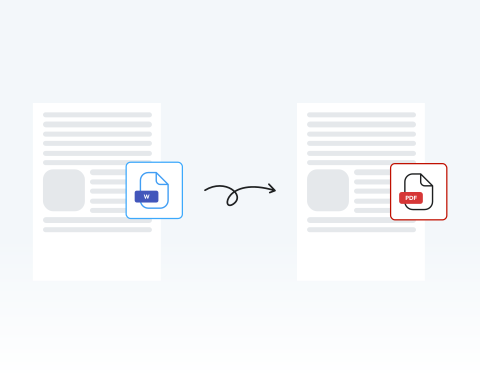
Word to PDF Converter

If you have a completed contract, resume, or term paper and want a secure document with a consistent and universal format, you can easily convert your Word files to PDF.

Choose your File

or drag and drop

SSL Encryption - Supports PDF up to 100 MB and other formats and extensions up to 25 MB

Excellent 4.6 out of 5

You can try our Word to PDF converter to:

  • Make sure fonts, images, and formatting remain consistent across all devices.
  • Convert resumes and contracts into polished files.
  • Create documents that anyone can open without needing Microsoft Word.
  • Shrink large Word docs into compact PDFs for faster emailing and uploads.

Get started with our secure tool and convert a Word doc to PDF, while preserving the original formatting and layout.

How to Convert Word to PDF

Follow these easy steps to save a Word document as a PDF.

1

Import your Word doc to our tool

Drag and drop your file or click on "Upload Document".

2

Modify your document as necessary

Adjust your Word doc as needed in our editor prior to conversion.

3

Hit "Convert"

Select PDF and transform your file instantly.

4

Download or share

You’re ready to use your freshly converted PDF document.

Convert a Word Doc to a Secure PDF in Seconds With MergedPDF

Rapid and effortless Word to PDF conversion

Transform reports, essays, and more into professional PDFs in seconds. Our platform eliminates complex menus to help meet tight deadlines without delays.

No installation required

Access our Word to PDF converter directly from your browser on any laptop. If you are a student or remote worker, you can turn Word docs into PDFs instantly on the go.

Secure and reliable file modifications

Protect your sensitive contracts or financial records with enterprise-grade SSL encryption during every conversion. We prioritize your privacy by automatically deleting all files from our servers when your session ends.

Edit your doc as you convert to PDF

Fix last-minute typos in a resume or update pricing on an invoice without having to reopen your original document. Our platform lets you review and mark up documents before sending.

Universal compatibility: Convert Word to PDF on any device

Switch from Word to PDF on any device at any time. Take advantage of our editor on a smartphone at a coffee shop or a tablet in a lecture hall. Our web-based tool guarantees that you get a consistent experience on desktop and mobile devices.

The best way to convert Word to high resolution PDF

As the highest-rated tool by users, MergedPDF’s converter preserves image quality in your portfolio or complex charts in your research paper. It delivers premium output to make sure your presentations and reports look great.

MergedPDF Offers Multiple PDF Solutions

Start by creating a free account and make it easy to edit, convert, compress, and split your files!

  • Edit, convert, merge, and more with our platform
  • Get unlimited edits and downloads
  • Convert in multiple formats
  • 100% private and secure uploads and editing
  • 24/7 customer support

Frequently Asked Questions about Word to PDF Converter

Everything you need to know about converting Word to PDF.

Why should I convert my Word document to PDF?
The main reason you should convert a Word document to PDF is to guarantee that your document's formatting and images remain in a stable and clear format. A PDF file prevents accidental edits and makes sure that your resume, report, or contract looks exactly as you wanted it to.
How do I convert from Word to PDF without losing the formatting?
Try using MergedPDF’s online Converter. This high-quality tool ensures that your document's formatting is preserved during the conversion process.

It will provide you with a PDF that mirrors your original Word file. Any changes in layout and format will be minimal at most.
What is the difference between the DOC and DOCX?
DOC is the older Word document format, while DOCX is the newer, more efficient format introduced with Word 2007.

DOCX offers better compatibility and smaller file sizes. They also support a greater variety of elements, like charts, images, and macros.

However, if you’re using older versions of Word (2003 and older), you can only use DOC files.
Are my documents and personal data secure during conversion?
Yes, MergedPDF uses advanced security measures to protect your files and personal data, ensuring a safe and private conversion process.

You can rely on Secure Sockets Layer (SSL) encryption to safeguard your Word and PDF documents.

Your files will be deleted from our servers after you’ve finished using the conversion tool and saved your final PDF.
Is the converted PDF file optimized for email attachments?
Yes, MergedPDF uses an intelligent compression algorithm throughout the conversion process to make sure that your file is as lightweight as possible without sacrificing any visual quality to keep it ideal for email attachments.
Which Word versions are supported by the converter?
With our tool, you can convert files from all versions of Microsoft Word, including .doc and .docx formats. Our converter also supports Word documents that were created in Google Docs, OpenOffice, and LibreOffice.

Explore Our Full Range of Tools Besides Word to PDF Converter
