


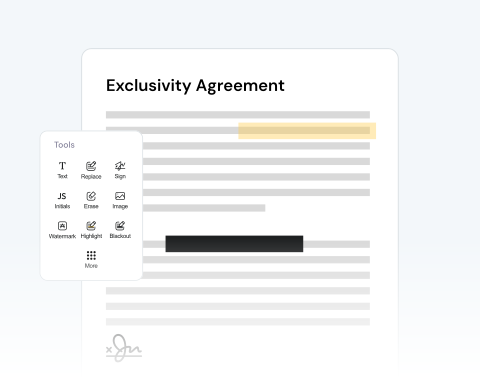

Fully online document editing
Our editor runs entirely online. You can modify scanned files without installing software or managing updates. Upload your file, edit instantly, and download the finished document from any browser.
Accédez à notre éditeur PDF tout-en-un pour ajuster votre fichier numérisé selon vos besoins.

or drag and drop

SSL Encryption - Supports PDF up to 100 MB and other formats and extensions up to 25 MB



The most complete range of PDF editing tools is right at your fingertips thanks to MergedPDF!
Téléchargez votre document numérisé et modifiez-le facilement :
Select the scanned document from your device and upload it securely to the editor.
Add text, highlight sections, insert images, draw annotations, erase elements, or adjust content directly on the page.
Split, merge, or rearrange pages to prepare a clean and professional final document.
Download your edited file instantly or send it directly.
Our editor runs entirely online. You can modify scanned files without installing software or managing updates. Upload your file, edit instantly, and download the finished document from any browser.

Deadlines matter. Our tool processes files quickly, so you can edit a scanned PDF document in minutes. Finalize contracts and update documentation without delays.

The editing dashboard is clean and straightforward. You can edit text in PDF pages, add annotations, and insert images with just a couple of clicks.

You can access the editor from Windows, macOS, or Linux systems. No need to worry if you or your team work across different operating systems.

Edit documents from a desktop in the office or from a smartphone while traveling. The tool supports PCs, tablets, Android, and Apple devices, so your files stay accessible anywhere, at any time.

The editor works smoothly with Chrome, Edge, Opera, Safari, and Firefox. Edit scanned documents without changing your preferred browser.

Start by creating a free account and make it easy to edit, convert, compress, and split your files!
Everything you need to know about editing scanned documents.
Absolument ! Cliquez simplement sur le texte que vous souhaitez modifier. Vous pouvez ensuite réécrire, supprimer ou apporter toute autre modification que vous souhaitez.
Accédez à l'éditeur PDF et choisissez l'option de texte pour ajouter une zone de texte. Vous pouvez modifier le texte en fonction de vos besoins, notamment en termes de taille, de police, de couleur et de position.
Tu peux ! Sélectionnez simplement l'option image dans la barre d'outils pour ajouter une image à votre fichier.
Oui, notre éditeur PDF en ligne propose des fonctionnalités permettant d'annoter des documents, de surligner du texte et d'ajouter des signatures électroniques.

