


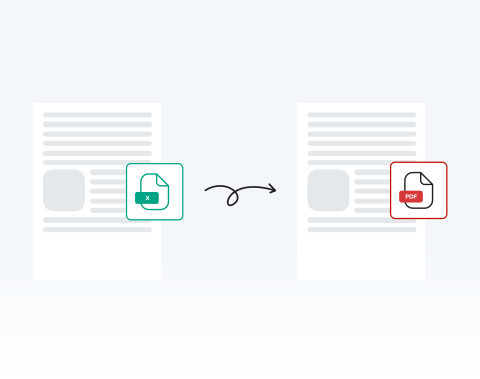

Save time with instant online conversion
Upload your Excel spreadsheet and receive a ready-to-share PDF within seconds. No waiting for heavy software to open. No exporting errors. You stay productive and meet deadlines confidently.
Convertissez rapidement vos feuilles de calcul Excel grâce à notre puissant outil.

or drag and drop

SSL Encryption - Supports PDF up to 100 MB and other formats and extensions up to 25 MB



Ready to get started with the best-rated tool to convert Excel to PDF? Find out how it works below.
Changez instantanément votre feuille de calcul en PDF :
Select and upload your Excel sheet directly from your device.
Click the ‘‘Convert’’ button to start the conversion instantly.
Confirm PDF as your desired output.
Download your finished PDF immediately or share it securely.
Upload your Excel spreadsheet and receive a ready-to-share PDF within seconds. No waiting for heavy software to open. No exporting errors. You stay productive and meet deadlines confidently.

Our system preserves tables, charts, cell alignment, and layout structure exactly as designed. Your converted PDF maintains professional consistency across devices and printers.

Using Microsoft Windows, macOS, or Linux? You can convert your Excel files directly in your browser without compatibility issues or additional configuration. Use the online tool no matter where you are in the world, at any time.

Use your PC, tablet, Android phone, or Apple device to turn spreadsheets into PDFs online. This flexibility empowers remote teams, field professionals, and traveling executives to work without interruption. All you need to get started is an internet connection.

You can open MergedPDF in Chrome, Opera, Edge, Safari, or Firefox and start converting your spreadsheet files immediately. You don’t need any extra extensions, so you can start right away.

Your files are protected with SSL encryption during upload and processing. After converting your Excel file to PDF, you can delete your documents from our servers for added privacy.



Start by creating a free account and make it easy to edit, convert, compress, and split your files!
Everything you need to know about converting Excel to PDF.
La conversion d'Excel en PDF permet de conserver la mise en forme et la mise en page du document, en garantissant que le contenu s'affiche de la même manière sur tous les appareils.
Il s'agit également d'un format de partage plus universel, car tout le monde n'a peut-être pas Excel ou un tableur compatible.
Absolument ! Notre outil donne la priorité à la sécurité des utilisateurs, en veillant à ce que tous les fichiers Excel téléchargés soient cryptés pendant le processus de conversion et soient supprimés de nos serveurs après un certain temps.
Non, notre convertisseur Excel en PDF est entièrement en ligne. Vous n'aurez pas besoin de télécharger ou d'installer de logiciel sur votre appareil.
Oui, étant donné que notre convertisseur est basé sur le Web, il fonctionne parfaitement sur Windows, Mac et même sur les appareils mobiles.
Oui, nous proposons un outil de conversion de PDF en Excel. Vous pouvez y accéder sur notre plateforme et convertir vos documents selon vos besoins.

