



No software installation required
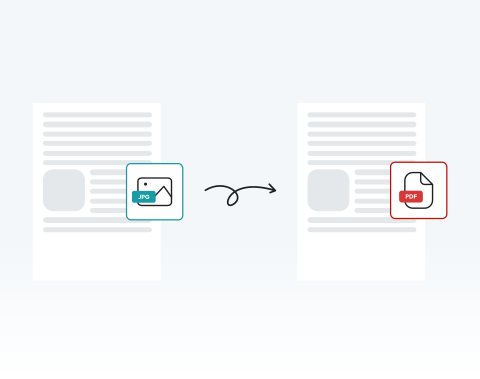
Work directly in your browser, no downloads needed. Upload JPG images and turn them into a single PDF completely online. All you need is a device with an internet connection.
Transformez facilement vos documents JPG à l'aide de notre convertisseur simplifié.

or drag and drop

SSL Encryption - Supports PDF up to 100 MB and other formats and extensions up to 25 MB



Try the #1 user-rated JPG to PDF converter now.
Drag and drop your file into the editor or click "Upload."
Press the Convert button.
Click on the PDF file format option.
Your document is ready to send, archive, print, or upload.
Work directly in your browser, no downloads needed. Upload JPG images and turn them into a single PDF completely online. All you need is a device with an internet connection.

Time is critical. Our tool turns .jpg to .pdf in seconds, even when handling multiple images for large documentation tasks.

You do not need technical expertise. The process is designed for busy users who value efficiency.

Convert JPG to PDF on desktops, tablets, Android devices, or Apple devices. Perfect for professionals on the move.

Fully optimized for Chrome, Edge, Safari, Opera, and Firefox. Open, upload, convert, and download without compatibility concerns.

Your files are protected using advanced SSL encryption during transfer. You also control your documents and can permanently remove them from our servers after conversion.

Start by creating a free account and make it easy to edit, convert, compress, and split your files!
Everything you need to know about converting images to PDF.
Notre outil pratique vous permet de modifier votre document avant de le transformer en PDF. Vous pouvez ajouter des notes, apporter des modifications et signer votre fichier en quelques secondes.
JPG et JPEG sont essentiellement le même format, JPG étant une version abrégée de JPEG. Vous pouvez télécharger n'importe quel document JPG dans notre convertisseur.
Le processus de base reste le même. Toutefois, l'interface peut être légèrement différente en fonction de votre appareil mobile.
La conversion d'une image JPG en PDF ne dégrade pas la qualité de l'image. La représentation visuelle de l'image JPG à l'intérieur du PDF doit être identique à l'image JPG d'origine lorsqu'elle est visualisée avec le même niveau de zoom.

