


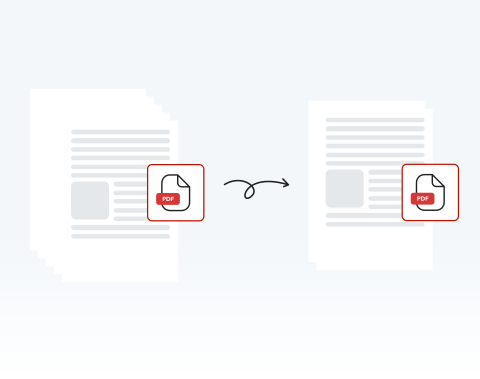

Delete unwanted pages 100% online
If there are pages that you don’t want, you can get rid of them in just a few clicks. Best of all, with our website, you can delete PDF pages online — no installation required!
Precisa remover páginas de um documento PDF? Nosso editor de PDF online é a ferramenta perfeita para atender todas as suas necessidades. Exclua páginas de forma rápida e fácil agora mesmo!

or drag and drop

SSL Encryption - Supports PDF up to 100 MB and other formats and extensions up to 25 MB



Keep reading to learn how to delete pages from a PDF and make your documents ready to use.
Siga estas etapas simples para excluir todas as páginas que você precisa do seu documento PDF:
Use the "Upload" button or drag and drop the PDF you want to delete pages from
Hit the "Rearrange Pages" button on the toolbar at the left side of the dashboard, and choose the page(s) to delete
Click on the "Delete" button to remove the selected pages
Once the pages are deleted, download the new PDF or share it
If there are pages that you don’t want, you can get rid of them in just a few clicks. Best of all, with our website, you can delete PDF pages online — no installation required!

You don’t have to worry about deleting the whole document or large chunks of it — you can select any and all pages that you need to remove on our platform and delete them with ease.

Computer, smartphone, or tablet, we’ve got you covered! You can remove pages from your PDF on our website whether you use PC or Mac; iPhone or Android. We support all browsers and OSs too!

Deleting pages from a PDF couldn’t be safer than on our site. All files and data are encrypted to keep them secure and private, and they are removed from our servers after use.

Want things to be as simple as possible? You’ve come to the right place! We pride ourselves on how easy our site is to use. It’s designed for your convenience. Try it out and see!

Our platform is regarded as one of the best around. Why? It’s quick, user-friendly, and secure. You also have access to a range of other tools to edit your PDF. What more could you need?

Start by creating a free account and make it easy to edit, convert, compress, and split your files!
Everything you need to know about removing pages from PDFs.
Sim, você pode excluir páginas individuais do seu arquivo PDF aqui mesmo neste site!
Nossa ferramenta de edição de PDF permite que você exclua qualquer página que desejar de qualquer documento PDF.
Basta arrastar e soltar seu arquivo ou clicar em “Carregar documento” para começar.
Usando nosso editor de PDF, você pode selecionar qualquer página para remover do seu documento com o clique de um botão. Você também pode selecionar várias páginas específicas para excluir. Leva apenas alguns segundos!
Tudo o que você precisa fazer é:
Você pode excluir quantas páginas desejar usando nosso editor de PDF. Basta selecionar todas as páginas que deseja remover e clicar em “Excluir páginas”.
Certamente! Nosso editor de PDF possui diversas funções. Você pode duplicar páginas existentes, adicionar novas páginas em branco e adicionar todos os tipos de elementos a elas.
Todas essas opções estão disponíveis na barra de ferramentas da nossa ferramenta de edição online.
Sim, se você excluir a página errada ou precisar recuperar uma página excluída por qualquer motivo, basta clicar em “Desfazer” na barra de ferramentas da janela “Selecionar páginas”.
Se você já concluiu a edição e salvou o documento, não será possível recuperar as páginas excluídas. Nesse caso, você terá que reenviar a versão original do documento para acessar as páginas excluídas.

