



Online service with no installation required
Access the PDF filler online directly from your browser. No software downloads. No IT tickets. Just upload, fill in PDF fields, and download securely from any device.
Use nossa ferramenta prática para preencher campos em branco em qualquer PDF

or drag and drop

SSL Encryption - Supports PDF up to 100 MB and other formats and extensions up to 25 MB



Get ready to elevate your productivity to the next level with our PDF filler tool.
Preencha os campos em branco em algumas etapas simples:
Upload your PDF form directly from your device into the online PDF filler.
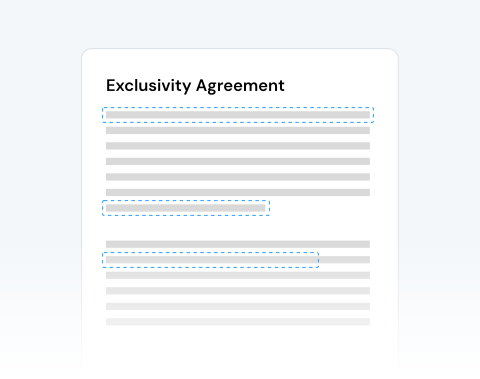
Click any interactive field or checkbox you want to complete.
Type your details or tick the required boxes.
Save the completed file instantly or share it.
Access the PDF filler online directly from your browser. No software downloads. No IT tickets. Just upload, fill in PDF fields, and download securely from any device.

Upload large files, complete multi-page tax forms, and process batches of internal documents fast. Ideal for HR teams handling onboarding or any type of financing reporting.

The editor is structured for efficiency. A simple click allows you to fill out PDF fields, adjust text formatting, mark checkboxes, and complete forms without guesswork.

Use the tool seamlessly on Windows, macOS, Linux, Android and iOS. You can easily work across environments, and your online PDF filler will adapt without any compatibility issues.

Easily fill PDF forms online from a PC, tablet, Android phone, or Apple device. The tool works perfectly using Chrome, Edge, Safari, Opera, or Firefox. Stay productive anywhere, on any device.

Your documents are protected with SSL encryption during upload and processing. You control your files and can permanently remove them from the cloud after completion.

Start by creating a free account and make it easy to edit, convert, compress, and split your files!
Everything you need to know about filling PDF forms.
Certamente! Nosso editor de PDF online foi projetado para oferecer uma abordagem flexível à edição de documentos. Embora adicionar e editar texto seja uma funcionalidade principal, certamente não é a única. Você também pode:
De jeito nenhum! Nossa ferramenta funciona inteiramente online, garantindo que os usuários não sejam sobrecarregados com o incômodo de baixar softwares ou se preocupar com a compatibilidade do sistema.
Tudo o que você precisa é de uma conexão ativa com a Internet e um navegador moderno para acessar nosso editor de PDF online.
Claro! Todos podem cometer erros ou, às vezes, você pode querer revisar uma versão anterior da sua edição. Nossa interface intuitiva inclui botões “desfazer” e “refazer”, permitindo que você alterne facilmente entre diferentes versões das suas edições.
Sim, e tornamos o compartilhamento incrivelmente simples. Quando terminar a edição, você pode enviar o PDF editado diretamente aos destinatários usando nosso recurso de e-mail integrado à plataforma.

