


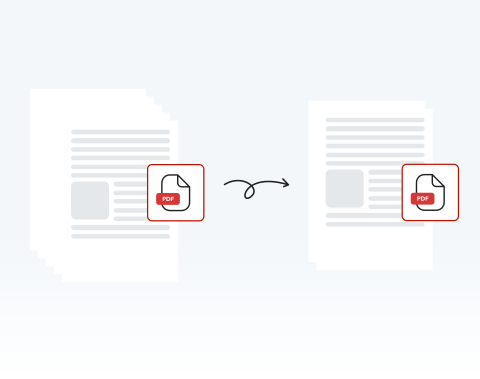

Delete unwanted pages 100% online
If there are pages that you don’t want, you can get rid of them in just a few clicks. Best of all, with our website, you can delete PDF pages online — no installation required!
Müssen Sie Seiten aus einem PDF Dokument loswerden? Unser Online-PDF-Editor ist das perfekte Werkzeug, um all Ihre Bedürfnisse zu erfüllen. Löschen Sie Seiten jetzt schnell und einfach!

or drag and drop

SSL Encryption - Supports PDF up to 100 MB and other formats and extensions up to 25 MB



Keep reading to learn how to delete pages from a PDF and make your documents ready to use.
Befolgen Sie diese einfachen Schritte, um alle Seiten, die Sie benötigen, aus Ihrem PDF-Dokument zu löschen:
Use the "Upload" button or drag and drop the PDF you want to delete pages from
Hit the "Rearrange Pages" button on the toolbar at the left side of the dashboard, and choose the page(s) to delete
Click on the "Delete" button to remove the selected pages
Once the pages are deleted, download the new PDF or share it
If there are pages that you don’t want, you can get rid of them in just a few clicks. Best of all, with our website, you can delete PDF pages online — no installation required!

You don’t have to worry about deleting the whole document or large chunks of it — you can select any and all pages that you need to remove on our platform and delete them with ease.

Computer, smartphone, or tablet, we’ve got you covered! You can remove pages from your PDF on our website whether you use PC or Mac; iPhone or Android. We support all browsers and OSs too!

Deleting pages from a PDF couldn’t be safer than on our site. All files and data are encrypted to keep them secure and private, and they are removed from our servers after use.

Want things to be as simple as possible? You’ve come to the right place! We pride ourselves on how easy our site is to use. It’s designed for your convenience. Try it out and see!

Our platform is regarded as one of the best around. Why? It’s quick, user-friendly, and secure. You also have access to a range of other tools to edit your PDF. What more could you need?

Start by creating a free account and make it easy to edit, convert, compress, and split your files!
Everything you need to know about removing pages from PDFs.
Ja, Sie können einzelne Seiten aus Ihrer PDF-Datei genau hier auf dieser Seite! löschen.
Unser PDF-Bearbeitungswerkzeug ermöglicht es Ihnen, beliebige Seiten aus jedem PDF-Dokument zu löschen.
Ziehen Sie einfach Ihre Datei hinein oder klicken Sie auf „Dokument hochladen“, um zu beginnen.
Mit unserem PDF-Editor können Sie jede Seite auswählen, die Sie mit einem Klick auf einen Button aus Ihrem Dokument entfernen möchten. Sie können auch mehrere spezifische Seiten zum Löschen auswählen. Es dauert nur Sekunden!
Alles, was Sie tun müssen, ist:
Sie können so viele Seiten löschen, wie Sie möchten mit unserem PDF-Editor. Wählen Sie einfach alle Seiten aus, die Sie entfernen möchten, und klicken Sie dann auf „Seiten löschen“.
Natürlich! Unser PDF-Editor hat viele Funktionen. Sie können vorhandene Seiten duplizieren, neue leere Seiten hinzufügen und alle möglichen Elemente hinzufügen.
Alle diese Optionen sind in der Symbolleiste unseres Online-Bearbeitungstools verfügbar.
Ja, wenn Sie die falsche Seite gelöscht haben oder aus irgendeinem Grund eine gelöschte Seite zurück benötigen, können Sie einfach auf „Rückgängig“ in der Symbolleiste des Fensters „Seiten auswählen“ klicken.
Wenn Sie das Dokument bereits bearbeitet und gespeichert haben, können Sie die gelöschten Seiten nicht wiederherstellen. In diesem Fall müssen Sie die Originalversion des Dokuments erneut hochladen, um auf gelöschte Seiten zuzugreifen.

