


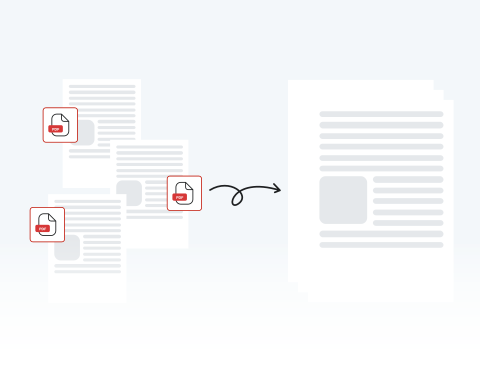

Organize your documents with a merged PDF
Skip the chaos of scattered files by consolidating them into a single, organized document, making it simple to compile receipts for a specialized report or organize chapters for a book.
Kombinieren Sie verschiedene PDF-Dokumente in einer Datei mit unserem Merge PDF-Assistenten.

or drag and drop

SSL Encryption - Supports PDF up to 100 MB and other formats and extensions up to 25 MB



Keep reading to learn how to combine PDF files with our tool and put your notes, drafts, and more into a single document for a more efficient workflow.
Unser Zusammenführungs-Tool steht Ihnen zur Verfügung. Verwandeln Sie mehrere PDFs in einem in diesen einfachen Schritten:
Upload the file you want merged by dragging and dropping or by clicking "Upload Document".
Add the documents you want combined with the original file that you uploaded.
Combine your PDF files into one.
Save your finished file and put it to use.
Skip the chaos of scattered files by consolidating them into a single, organized document, making it simple to compile receipts for a specialized report or organize chapters for a book.

Go beyond simple file combination by correcting typos, adding signatures, or highlighting key concepts directly within our all-in-one PDF editing platform.

Easily upload, reorder, and combine your documents in minutes with MergedPDF’s straightforward interface designed for experienced professionals and casual users.

Your privacy is our priority, which is why our tool uses industry-standard SSL encryption. Process your documents with confidence, knowing our platform is built to keep your files confidential and 100% secure.

Access our PDF merger from any device or browser, including Chrome, Firefox, and Safari, without compatibility problems or needing to download any additional software.

Our tool can be used anytime, anywhere with an internet connection on your computer, laptop, or smartphone.

Start by creating a free account and make it easy to edit, convert, compress, and split your files!
Everything you need to know about merging documents.
Das Zusammenführen von Dokumenten bedeutet, mehrere Dateien in einer zu kombinieren. Wenn es um das Zusammenführen von PDFs geht, enthält die endgültige PDF alle Seiten der Originaldateien.
Verwenden Sie unser Merge PDF-Tool, um Ihre Dokumente über unsere Website zu kombinieren. Der gesamte Prozess erfolgt online.
Laden Sie Ihre Dateien hoch, nehmen Sie alle gewünschten Änderungen vor und klicken oder tippen Sie auf die Schaltfläche „Zusammenführen“. Dann haben Sie Ihr kombiniertes Dokument bereit zum Herunterladen oder Teilen.
Nein, Sie können PDFs online zusammenführen. Tatsächlich können Sie es direkt hier von dieser Seite aus tun. Unser Tool ermöglicht es Ihnen, mehrere Dokumente in Sekundenschnelle hochzuladen und zusammenzuführen.
Sie müssen keine Zeit mit dem Herunterladen und/oder Installieren von Software verschwenden, um PDFs zusammenzuführen. Alles, was Sie brauchen, ist eine Internetverbindung!
Ja, Sie können unser Tool von einem Smartphone aus verwenden. Unsere Website ermöglicht es Ihnen, PDFs von jedem Gerät aus zusammenzuführen, zu bearbeiten, zu konvertieren und zu komprimieren.
Wenn Sie PDFs auf Ihrem Handy gespeichert haben, können Sie sie mit einem Fingertipp zusammenführen.
Ja, unser Merge PDF-Tool funktioniert mit Opera und jedem anderen Browser. Egal, ob Sie Opera, Chrome, Firefox oder Safari verwenden, Sie können Ihre Dokumente schnell und einfach auf unserer Website kombinieren.
Ja, unsere Website ist mit Android und jedem anderen Betriebssystem (OS) kompatibel.

