PDF bearbeiten

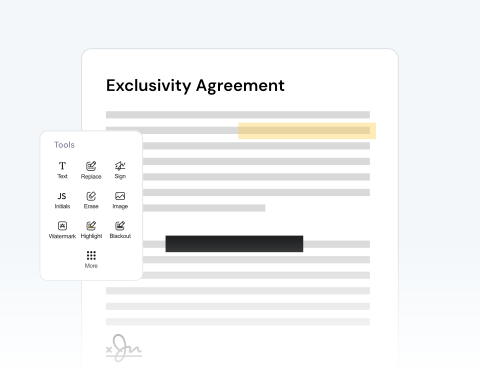
Laden Sie ein PDF hoch und bearbeiten Sie es mit unserer breiten Palette von Tools.

Choose your File

or drag and drop

SSL Encryption - Supports PDF up to 100 MB and other formats and extensions up to 25 MB

Excellent 4.6 out of 5

Using our PDF editor, quickly make critical or helpful changes, such as:

  • Bearbeiten Sie vorhandenen Text oder fügen Sie hinzu und entfernen Sie
  • Unterschreiben Sie direkt oder laden Sie Ihre Unterschrift hoch
  • Zeichnen Sie direkt auf das Dokument
  • Erhalten Sie jedes Format: PDF, PNG, JPG, Word, Excel, PowerPoint

Find out how to modify a PDF online below and optimize your productivity.

Mit unserem PDF-Editor

Unser PDF-Editor ist super einfach zu bedienen:

1

Open your doc

Drag and drop your PDF or use the "Upload" button.

2

Use our edition features

Import images, add a signature, draw directly on the PDF, and more.

3

Convert your PDF

Change the format of your file to Word, JPG, etc, if necessary.

4

Save and share

Once you're happy with the document, download it and/or share it.

Edit PDF Files With MergedPDF to Avoid Mistakes and Increase Your Productivity

Annotate & comment on PDFs online

Highlight important terms in contracts or add study notes to your documents with our platform, which allows you to review and mark up documents instantly from any online device.

Effortless PDF editing to correct errors

Noticed a typo or mistake in your document? Upload your file in seconds and make corrections to a resume, update pricing on an invoice, modify dates, and more.

Add pictures and text to your document

Need to add an image? Or, want to include more text? You can easily insert company logos into reports, tack on new text fields, or circle critical details with our drawing features.

Optimize your document review process

You can share your PDF with others so that they can also add comments. This is very useful if you’re working with other contributors. Share directly from our site to speed up the process.

Make changes to files from any browser

Our platform is optimized for all major browsers, including Chrome, Safari, Firefox, and Edge. Simply make sure you have reliable access on any operating system.

Your trusted and secure PDF editor

Our mission is to provide the best PDF editor available. Our tool is reliable, secure, and produces the best results. We pride ourselves on customer satisfaction and make sure your files remain private.

Key Characteristics of PDF and Word Formats

  • PDF files (.pdf) keep your document’s layout intact across all devices and systems.
  • They can be compressed for easy sharing and support multimedia and interactive elements like videos, links, and fillable forms.
  • Word files (.doc/.docx) are popular for writing and editing text.
  • They offer flexible formatting options, like fonts, alignment, and layout, and support images, tables, and more.

MergedPDF Offers Multiple PDF Solutions

Start by creating a free account and make it easy to edit, convert, compress, and split your files!

  • Edit, convert, merge, and more with our platform
  • Get unlimited edits and downloads
  • Convert in multiple formats
  • 100% private and secure uploads and editing
  • 24/7 customer support

Häufig gestellte Fragen zu unserem PDF-Editor

Everything you need to know about editing documents.

Was ist ein Online-PDF-Editor?

Unser Online-PDF-Editor ist eine digitale Plattform, die über das Internet aufgerufen wird und Werkzeuge und Funktionen zum Bearbeiten von PDF (Portable Document Format)-Dateien bietet.


Im Gegensatz zu eigenständiger Software, die eine Installation erfordert, funktioniert unser Online-PDF-Editor direkt in Ihrem Webbrowser, was ihn bequem und oft schneller für kleinere Bearbeitungen oder unterwegs macht.


Welche Bearbeitungsfunktionen gibt es?

Wenn Sie ein PDF in unserem Editor öffnen, wird ein Seitenmenü angezeigt, das verschiedene Optionen zur Unterstützung des Bearbeitungsprozesses bietet.


Auf einen Blick können Sie die Gesamtzahl der Seiten in Ihrem Dokument sehen. Aus diesem Menü können Sie eine Reihe von Funktionen nutzen, wie zum Beispiel:


  • - Aktionen rückgängig machen oder wiederherstellen

  • - Die Anzahl der vorgenommenen Änderungen überwachen

  • - Unerwünschte Seiten oder Abschnitte löschen

  • - Seiten in die gewünschte Ausrichtung drehen

  • - Neue Seiten einfügen oder vorhandene entfernen


Kann ich eine einzelne Seite im PDF bearbeiten?

Absolut! Unsere Plattform ist so konzipiert, dass sie den Benutzern eine granulare Kontrolle über ihre Dokumente ermöglicht. Für jede Seite in Ihrem PDF können Sie spezialisierte Werkzeuge nutzen, um:


  • - Wichtige Abschnitte oder Informationen hervorzuheben

  • - Textinhalte hinzuzufügen oder vorhandenen Text zu ändern

  • - Bilder oder Grafiken einzufügen

  • - Digitale Unterschriften einzufügen

  • - Ein Wasserzeichen aufzudrucken


Was kann ich tun, wenn ich mit der Bearbeitung meines PDFs fertig bin?

Nachdem alle gewünschten Änderungen an Ihrem PDF vorgenommen wurden, bietet unsere Plattform mehrere Optionen zur Verwaltung und Verteilung Ihres bearbeiteten Dokuments. Sie können:


  • - Die bearbeitete Version speichern

  • - Die Datei auf Ihr Gerät herunterladen

  • - Drucken Sie eine physische Kopie direkt aus dem Browser

  • - Komprimieren Sie die Dateigröße für einfacheres Teilen oder Speichern

  • - Senden Sie das Dokument direkt per E-Mail oder über einen teilbaren Link

  • - Konvertieren Sie die PDF in andere gängige Formate wie Word, Excel oder PowerPoint


Can I edit a specific page on the PDF?
Yes, you can modify any of the pages that you like. With our tool, you can make any changes you like, whether it’s on just one page, a selection of pages, or on every page.

We give you the freedom to change your PDF however you want.
How do I add drawings to a PDF?
If you have the drawing saved on your computer or device as an image file, like a JPEG or PNG, you can use the image button on our editor to import the picture to your project.

You can then place it where you want on the PDF.

Alternatively, you can use the free draw tool to make your drawing directly on the PDF using your mouse or touch screen.

Once your drawing has been added, you can rotate, resize, and make other changes.
Will editing my PDF reduce the original file quality?
No, modifying your PDF will not reduce its quality. Our online tool is designed to keep the original resolution and formatting of your document. Add text or images, or make other changes, and your PDF will maintain its professional quality after the export.
Can I convert my PDF to another format after editing it?
Yes, with MergedPDF, once you finish making changes to your document, our tool lets you download it as a PDF or convert it to other popular formats, such as Word, JPG, or PNG, in just one click.

A Variety of Tools Beyond PDF Editor