


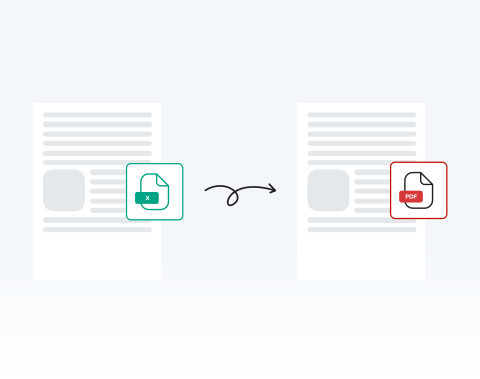

Save time with instant online conversion
Upload your Excel spreadsheet and receive a ready-to-share PDF within seconds. No waiting for heavy software to open. No exporting errors. You stay productive and meet deadlines confidently.
Konvertieren Sie Ihre Excel-Tabellen schnell mit unserem leistungsstarken Tool.

or drag and drop

SSL Encryption - Supports PDF up to 100 MB and other formats and extensions up to 25 MB



Ready to get started with the best-rated tool to convert Excel to PDF? Find out how it works below.
Ändern Sie Ihre Tabelle sofort in eine PDF:
Select and upload your Excel sheet directly from your device.
Click the ‘‘Convert’’ button to start the conversion instantly.
Confirm PDF as your desired output.
Download your finished PDF immediately or share it securely.
Upload your Excel spreadsheet and receive a ready-to-share PDF within seconds. No waiting for heavy software to open. No exporting errors. You stay productive and meet deadlines confidently.

Our system preserves tables, charts, cell alignment, and layout structure exactly as designed. Your converted PDF maintains professional consistency across devices and printers.

Using Microsoft Windows, macOS, or Linux? You can convert your Excel files directly in your browser without compatibility issues or additional configuration. Use the online tool no matter where you are in the world, at any time.

Use your PC, tablet, Android phone, or Apple device to turn spreadsheets into PDFs online. This flexibility empowers remote teams, field professionals, and traveling executives to work without interruption. All you need to get started is an internet connection.

You can open MergedPDF in Chrome, Opera, Edge, Safari, or Firefox and start converting your spreadsheet files immediately. You don’t need any extra extensions, so you can start right away.

Your files are protected with SSL encryption during upload and processing. After converting your Excel file to PDF, you can delete your documents from our servers for added privacy.



Start by creating a free account and make it easy to edit, convert, compress, and split your files!
Everything you need to know about converting Excel to PDF.
Die Umwandlung von Excel in PDF hilft, das Format und Layout des Dokuments beizubehalten, sodass der Inhalt auf allen Geräten gleich aussieht.
Es ist auch ein universelleres Format zum Teilen, da nicht jeder Excel oder kompatible Tabellenkalkulationssoftware haben könnte.
Absolut! Unser Tool hat die Sicherheit der Benutzer an erster Stelle, indem sichergestellt wird, dass alle hochgeladenen Excel-Dateien während des Konvertierungsprozesses verschlüsselt und nach einer bestimmten Zeit von unseren Servern gelöscht werden.
Nein, unser Excel-zu-PDF-Konverter ist vollständig online. Sie müssen keine Software auf Ihrem Gerät herunterladen oder installieren.
Ja, da unser Konverter webbasiert ist, funktioniert er nahtlos auf Windows, Mac und sogar mobilen Geräten.
Ja, wir bieten ein Tool zum Konvertieren von PDF in Excel an. Sie können es auf unserer Plattform aufrufen und Ihre Dokumente nach Bedarf konvertieren.

