


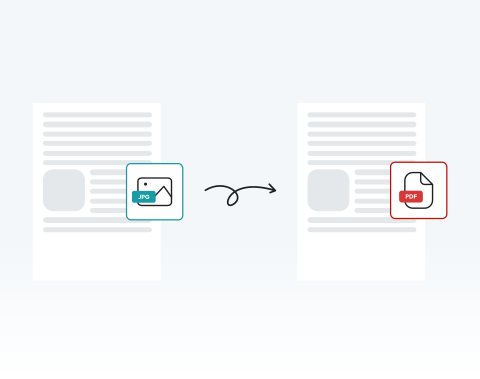

No software installation required
Work directly in your browser, no downloads needed. Upload JPG images and turn them into a single PDF completely online. All you need is a device with an internet connection.
Verwandeln Sie Ihre JPG-Dokumente nahtlos mit unserem optimierten Konverter.

or drag and drop

SSL Encryption - Supports PDF up to 100 MB and other formats and extensions up to 25 MB



Try the #1 user-rated JPG to PDF converter now.
Drag and drop your file into the editor or click "Upload."
Press the Convert button.
Click on the PDF file format option.
Your document is ready to send, archive, print, or upload.
Work directly in your browser, no downloads needed. Upload JPG images and turn them into a single PDF completely online. All you need is a device with an internet connection.

Time is critical. Our tool turns .jpg to .pdf in seconds, even when handling multiple images for large documentation tasks.

You do not need technical expertise. The process is designed for busy users who value efficiency.

Convert JPG to PDF on desktops, tablets, Android devices, or Apple devices. Perfect for professionals on the move.

Fully optimized for Chrome, Edge, Safari, Opera, and Firefox. Open, upload, convert, and download without compatibility concerns.

Your files are protected using advanced SSL encryption during transfer. You also control your documents and can permanently remove them from our servers after conversion.

Start by creating a free account and make it easy to edit, convert, compress, and split your files!
Everything you need to know about converting images to PDF.
Unser praktisches Tool ermöglicht es Ihnen, Ihr Dokument zu bearbeiten, bevor Sie es in ein PDF umwandeln. Sie können in Sekundenschnelle Notizen hinzufügen, Änderungen vornehmen und Ihre Datei unterschreiben.
JPG und JPEG sind im Wesentlichen dasselbe Format, wobei JPG eine verkürzte Version von JPEG ist. Sie können jedes JPG-Dokument in unseren Konverter hochladen.
Der Kernprozess bleibt derselbe. Die Benutzeroberfläche kann jedoch je nach mobilem Gerät leicht variieren.
Die Konvertierung eines JPG-Bildes in PDF beeinträchtigt nicht die Qualität des Bildes. Die visuelle Darstellung des JPG-Bildes im PDF sollte identisch mit dem Original-JPG sein, wenn es auf demselben Zoomlevel betrachtet wird.

