
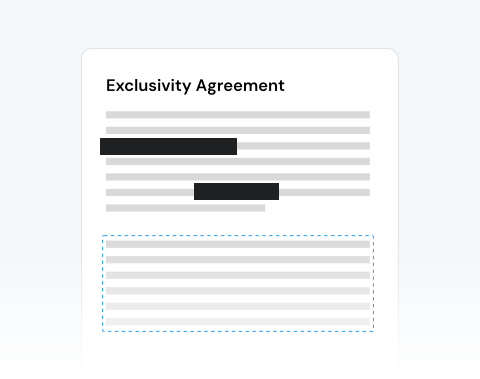
Redact PDF

Need to keep the information in your files private? Redact PDFs in seconds with our secure online tool.

Choose your File

or drag and drop

SSL Encryption - Supports PDF up to 100 MB and other formats and extensions up to 25 MB

Excellent 4.6 out of 5

Using MergedPDF, quickly protect confidential documents, such as:

  • Black out a PDF's confidential personal details and financial data.
  • Hide sensitive text before sharing and avoid unauthorized access.

Keep reading to find out how to redact below and make sure your important details stay safe.

How to Redact a PDF With MergedPDF

You can easily black out a PDF document with our online PDF Redaction tool. Just follow these steps:

1

Upload your PDF

Click Upload or drag and drop the file you want to redact

2

Select the Blackout option

Click on Blackout to start the redacting process

3

Make your changes

Select the parts of your file you want to remove

4

Save your updated PDF

Your new redacted file will be ready to use

Redact a PDF Online With MergedPDF for Instant and Safe Writing

Redact completely online

Skip downloads and installations, as our tool works entirely online. Just upload your PDF, apply redactions, and download the updated file. Secure redaction made simple, right from your browser.

Universal browser compatibility

Regardless of your chosen browser, our PDF redaction tool works smoothly. Get consistent performance and accurate results on any device without extra steps or software.

Protect your confidential information

Safeguard sensitive data like names, addresses, or financial details with confidence. Our redaction tool ensures the information you remove is completely erased, keeping your private documents safe and secure.

Fast and intuitive PDF redaction

Our tool makes redacting PDFs effortless. With a clean, intuitive interface, you can quickly remove sensitive text or sections in just a few clicks, saving time while keeping your documents secure.

Trusted and reliable

Thousands of users depend on our platform for a safe and accurate PDF redaction tool. Built with advanced security measures and proven performance, it’s a tool you can trust for protecting sensitive information every time.

No.1 online blackout tool

More than just a redaction feature, our platform is a leading choice for online PDF editing. With speed, security, and versatility combined, it’s ranked highly for all types of users worldwide.

MergedPDF Offers Multiple PDF Solutions

Start by creating a free account and make it easy to edit, convert, compress, and split your files!

  • Edit, convert, merge, and more with our platform
  • Get unlimited edits and downloads
  • Convert in multiple formats
  • 100% private and secure uploads and editing
  • 24/7 customer support

FAQs About Our PDF Redaction Tool

Everything you need to know about redacting PDFs.

Why redact a PDF?
Sometimes it’s necessary to conceal parts of a document to comply with regulations, protect confidentiality, or safeguard sensitive data.

Redaction provides a permanent and reliable way to remove such details. By masking information irreversibly, it allows organizations to share or store documents securely while reducing the risk of exposing personal or confidential content.
Can I redact entire pages or specific areas?
You can choose what to hide in your document without any restrictions. You can easily black out whole pages, specific text, images, or paragraphs, depending on what you need to keep confidential.
Does redacting affect the rest of the document's layout?
The redaction process will exclusively affect the specific areas where you have applied the blackout. The rest of your document's original layout, including surrounding text, images, margins, and formatting, will remain completely intact and undisturbed after the redaction is finalized.
Do I need to install any software to redact a PDF?
No extra downloads are needed, everything runs directly in your browser. Simply upload your file, select the text or sections you want to remove, and apply permanent redactions instantly.

This makes it quick, convenient, and accessible from any device, without worrying about installing software or managing updates.
Is it secure to redact a PDF online?
Yes. Our platform uses advanced encryption and secure processing to ensure your data stays protected.

Once redaction is applied, sensitive information is permanently removed and cannot be recovered by others.
Can I redact PDFs on my smartphone?
Yes, you can redact PDF files online with our editor, which is fully optimized for all devices. Whether you are using a smartphone, tablet, or desktop computer, you can easily access the tool directly in your web browser to redact sensitive information anytime, anywhere.

Discover Other Tools Besides PDF Redaction Tool
