
Sign PDF

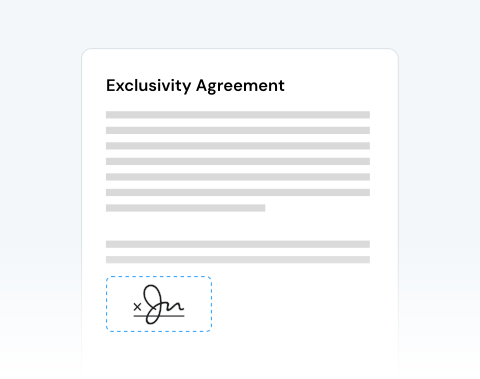
Need to sign a PDF urgently but stuck printing or installing expensive signing software? Use our secure online tool to add your signature in seconds and keep your workflow moving.

Choose your File

or drag and drop

SSL Encryption - Supports PDF up to 100 MB and other formats and extensions up to 25 MB

Excellent 4.6 out of 5

With our eSign tool, you can streamline your workflow. It allows you to:

  • Sign contracts, agreements, and NDAs before deadlines hit.
  • Add signature to PDF invoices, HR forms, and approvals.
  • Insert signatures in legal and compliance PDF documents.
  • Finalize academic or research paperwork instantly.

Sign your documents in seconds with the top-rated eSign tool by users.

How to Sign a PDF

Follow these simple steps to upload, sign, and complete your document without wasting time.

1

Upload your PDF

Upload your document directly from your device.

2

Select "Sign"

Click the Sign tool inside the editor.

3

Create your signature

Choose to draw your signature, upload an image, or type your name in a professional handwritten style.

4

Place your signature

Drag and position your signature anywhere in the document.

Sign PDFs Online Quickly and Securely

Fast document turnaround when time matters

When contracts need same-day approval or clients wait for confirmation, speed becomes critical. Upload, sign, and download your document within minutes and keep projects moving forward without interruption.

Practical and intuitive PDF signer

The interface is clean and focused. You upload your file, create your electronic signature, and place it exactly where it’s required. No complex menus. No confusion. Just clear action.

Works on Windows, Apple, and Linux systems

MergedPDF works seamlessly across all major operating systems (Microsoft Windows, Apple macOS, or Linux), so your team can collaborate without compatibility barriers.

Compatible with any device

Sign documents from your PC, laptop, tablet, Android device, or iPhone. You can insert your signature in a PDF without slowing down your workflow, no matter where you are.

Secure and privacy-focused signing

We protect every file transfer with advanced SSL encryption. Your documents remain confidential, and you control your data. After signing, you can permanently remove your files from our servers.

Built for professional demands

This tool is designed for anyone who requires reliable document handling and secure electronic signatures. It’s perfect for businesses, legal teams, HR departments, finance professionals, researchers, and students.

MergedPDF Offers Multiple PDF Solutions

Start by creating a free account and make it easy to edit, convert, compress, and split your files!

  • Edit, convert, merge, and more with our platform
  • Get unlimited edits and downloads
  • Convert in multiple formats
  • 100% private and secure uploads and editing
  • 24/7 customer support

Frequently Asked Questions About Signing PDFs

Everything you need to know about signing documents online.

Is it secure to sign a PDF online?
Yes. Our system uses high-level SSL encryption to protect every file transfer. Your data cannot be intercepted. We prioritize confidentiality and privacy. After you sign your PDF, you can permanently delete your documents from our servers for complete control and reassurance.
Can I sign a PDF on my mobile device?
Absolutely! You can use MergedPDF to sign your PDF online using both iOS and Android smartphones and tablets without limitations. All you need to get started is an internet connection.
Do I need to install software to sign my documents online?
No installation is required. MergedPDF is 100% web-based and runs directly in your browser. You avoid downloads, system configuration, and compatibility issues. It’s ideal for business environments with strict IT policies.
Can I modify my signatures within the PDF editor?
Yes. After you add your signature, you can resize, rotate, and reposition it precisely. If you are not satisfied, you can delete the signature and create a new one instantly without restarting the entire process.
Can I add multiple signatures to the same PDF document?
Yes. You can use the signature tool multiple times within the same document. This is ideal for contracts requiring signatures from multiple parties or documents that require initials on every page for legal validation.
How can I draw my signature on a PDF?
Our tool gives you three simple options. You can draw your signature using your mouse or touchpad, type your name and apply a professional handwritten font, or upload an image of your physical signature and insert it into the PDF.
How to add a digital signature to a PDF on different browsers?
You can sign on Chrome, Edge, Safari, Opera, and Firefox without changing settings. Simply open our website in your preferred browser, upload the file, and follow the steps to sign securely and efficiently.
How to sign a PDF on iPhone
Open our website on your iPhone browser, upload your document, create your signature using touch input, place it correctly in the file, and download your signed PDF immediately without additional apps.

A Variety of Tools Beyond Sign PDF
