
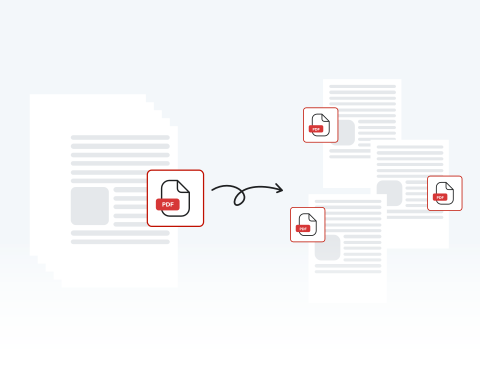
Split PDF

Easily separate pages and organize your documents with our secure online PDF splitter.

Choose your File

or drag and drop

SSL Encryption - Supports PDF up to 100 MB and other formats and extensions up to 25 MB

Excellent 4.6 out of 5

Using our PDF splitter, quickly divide and manage your files, such as:

  • Extract specific pages or chapters to share only what's necessary with clients or colleagues.
  • Break down large, heavy documents into smaller files that are easier to attach to emails.
  • Separate a single scanned batch of invoices or receipts into individual PDF files instantly.

Keep reading to learn how to split PDF files with our tool and improve your document workflow.

How to Split PDF Pages with MergedPDF

With our PDF page splitter, it couldn't be easier to divide and edit your document.

1

Upload the PDF to split

Drag and drop or hit "Upload" and find your file

2

Click / tap "Split"

This button will let you split and reorganize the pages of your PDF

3

Make edits

Remove, change, or extract pages from your original PDF

4

Use your new PDF(s)

Download, share, and/or print

Use MergedPDF's to Separate PDF Pages Any Time from Any Device

Effortlessly split PDF pages

Our user-friendly platform lets you divide one PDF document into many with just a few clicks. Making things quick and easy for users is our top priority.

Protect your data with our online PDF splitter

MergedPDF takes security very seriously. We safeguard your files and data using encryption and secure servers. After you’ve finished using our tool, we delete your files to be sure they’re kept private.

Versatile PDF splitter

Try out the different functions of our PDF splitter to divide documents into separate pages and save them as multiple files, or extract specific pages to save as new PDFs.

Split your PDF on any device

MergedPDF’s Splitter is compatible with any device as long as you’re connected to the internet. Smartphone, tablet, PC, Mac. We support them all! Take advantage of our tools, whatever you use.

Use online without any installation

There’s no need to download or install any software to start splitting PDFs. Our platform is completely online. All you need is an internet connection, and you can split a PDF into multiple files.

The best PDF splitter tool

With versatile functions, a simple-to-use interface, and universal compatibility, our site is the best place to divide and organize your documents. Split a PDF online with MergedPDF today!

MergedPDF Offers Multiple PDF Solutions

Start by creating a free account and make it easy to edit, convert, compress, and split your files!

  • Edit, convert, merge, and more with our platform
  • Get unlimited edits and downloads
  • Convert in multiple formats
  • 100% private and secure uploads and editing
  • 24/7 customer support

Frequently Asked Questions About the PDF Splitter

Everything you need to know about splitting PDFs.

Will the quality of my PDF decrease after splitting?
No, the quality of your PDF will not decrease. Our tool preserves the original resolution and formatting perfectly. Whether your document contains high-quality images, complex charts, or standard text, the newly split files will look exactly identical to your original uploaded file.
Do I need to download software to use a PDF splitter?
Not at all. Our PDF Splitter is 100% online.

The splitting tool is part of our online PDF Editor and Converter. Our platform has a huge range of functions to edit PDF docs, change format, and make any other changes you can think of.

All you need is an internet connection to upload your files and split them using MergedPDF.
Is my information safe when using an online PDF splitter?
Yes, when you split files with MergedPDF, rest assured that your files and data are safe. Security is one of our top priorities.

All files and information are encrypted to keep them secure.

In the interest of protecting your privacy, files are only stored temporarily and deleted after use.
What if my PDF file doesn't split properly?
Our PDF Splitter rarely encounters any problems dividing files. If you find your PDF file has not split correctly, check that the original file is not corrupted.

If there’s nothing wrong with the file, try again; the chances are it will work.

Contact our customer support team if the issue continues.
Can I split a password-protected PDF?
Yes, you can easily split a password-protected PDF if you know the correct password. Once it's unlocked, you can upload the document, enter the password, and then divide or split the pages just as you would with any other file.
Can I split a PDF on my smartphone?
Yes, you can easily split PDF files directly on your smartphone. Our secure online tool is fully optimized for mobile browsers, allowing you to quickly separate pages and manage your documents directly from your iPhone or Android device, wherever you are.

Explore Other Tools Besides PDF Splitter
