


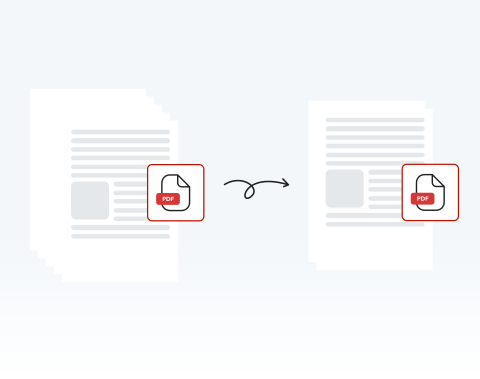

Delete unwanted pages 100% online
If there are pages that you don’t want, you can get rid of them in just a few clicks. Best of all, with our website, you can delete PDF pages online — no installation required!
Hai bisogno di eliminare le pagine da un documento PDF? Il nostro editor PDF online è lo strumento perfetto per soddisfare tutte le tue esigenze. Elimina subito le pagine in modo semplice e veloce!

or drag and drop

SSL Encryption - Supports PDF up to 100 MB and other formats and extensions up to 25 MB



Keep reading to learn how to delete pages from a PDF and make your documents ready to use.
Segui questi semplici passaggi per eliminare tutte le pagine di cui hai bisogno dal tuo documento PDF:
Use the "Upload" button or drag and drop the PDF you want to delete pages from
Hit the "Rearrange Pages" button on the toolbar at the left side of the dashboard, and choose the page(s) to delete
Click on the "Delete" button to remove the selected pages
Once the pages are deleted, download the new PDF or share it
If there are pages that you don’t want, you can get rid of them in just a few clicks. Best of all, with our website, you can delete PDF pages online — no installation required!

You don’t have to worry about deleting the whole document or large chunks of it — you can select any and all pages that you need to remove on our platform and delete them with ease.

Computer, smartphone, or tablet, we’ve got you covered! You can remove pages from your PDF on our website whether you use PC or Mac; iPhone or Android. We support all browsers and OSs too!

Deleting pages from a PDF couldn’t be safer than on our site. All files and data are encrypted to keep them secure and private, and they are removed from our servers after use.

Want things to be as simple as possible? You’ve come to the right place! We pride ourselves on how easy our site is to use. It’s designed for your convenience. Try it out and see!

Our platform is regarded as one of the best around. Why? It’s quick, user-friendly, and secure. You also have access to a range of other tools to edit your PDF. What more could you need?

Start by creating a free account and make it easy to edit, convert, compress, and split your files!
Everything you need to know about removing pages from PDFs.
Sì, puoi eliminare singole pagine dal tuo file PDF proprio qui su questo sito!
Il nostro strumento di modifica PDF ti consente di eliminare tutte le pagine che desideri da qualsiasi documento PDF.
Basta trascinare il file o fare clic su «Carica documento» per iniziare.
Utilizzando il nostro editor PDF, puoi selezionare qualsiasi pagina da rimuovere dal tuo documento con un clic. Puoi anche selezionare più pagine specifiche da eliminare. Bastano pochi secondi!
Tutto quello che devi fare è:
Puoi eliminare tutte le pagine che desideri utilizzando il nostro editor PDF. Seleziona semplicemente tutte le pagine che desideri rimuovere e quindi fai clic su «Elimina pagine».
Certamente! Il nostro editor PDF ha molte funzioni. Puoi duplicare pagine esistenti, aggiungere nuove pagine vuote e aggiungere ogni tipo di elemento.
Tutte queste opzioni sono disponibili nella barra degli strumenti del nostro strumento di modifica online.
Sì, se elimini la pagina sbagliata o hai bisogno di una pagina eliminata per qualsiasi motivo, puoi semplicemente fare clic su «Annulla» nella barra degli strumenti della finestra «Seleziona pagine».
Se hai già finito di modificare e salvare il documento, non sarai in grado di recuperare le pagine eliminate. In questo caso, dovrai caricare nuovamente la versione originale del documento per accedere alle pagine eliminate.

