


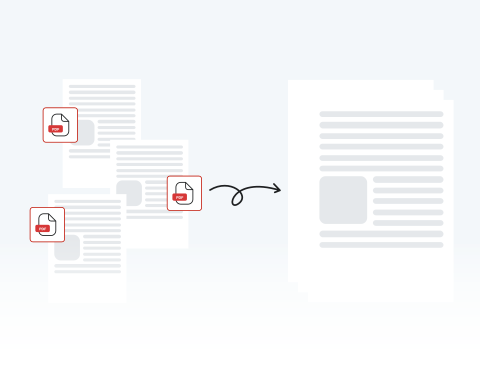

Organize your documents with a merged PDF
Skip the chaos of scattered files by consolidating them into a single, organized document, making it simple to compile receipts for a specialized report or organize chapters for a book.
Combina diversi documenti PDF in un unico file con la nostra procedura guidata Unisci PDF.

or drag and drop

SSL Encryption - Supports PDF up to 100 MB and other formats and extensions up to 25 MB



Keep reading to learn how to combine PDF files with our tool and put your notes, drafts, and more into a single document for a more efficient workflow.
Il nostro strumento di unione è a tua disposizione. Trasforma più PDF in uno solo seguendo questi passaggi di base:
Upload the file you want merged by dragging and dropping or by clicking "Upload Document".
Add the documents you want combined with the original file that you uploaded.
Combine your PDF files into one.
Save your finished file and put it to use.
Skip the chaos of scattered files by consolidating them into a single, organized document, making it simple to compile receipts for a specialized report or organize chapters for a book.

Go beyond simple file combination by correcting typos, adding signatures, or highlighting key concepts directly within our all-in-one PDF editing platform.

Easily upload, reorder, and combine your documents in minutes with MergedPDF’s straightforward interface designed for experienced professionals and casual users.

Your privacy is our priority, which is why our tool uses industry-standard SSL encryption. Process your documents with confidence, knowing our platform is built to keep your files confidential and 100% secure.

Access our PDF merger from any device or browser, including Chrome, Firefox, and Safari, without compatibility problems or needing to download any additional software.

Our tool can be used anytime, anywhere with an internet connection on your computer, laptop, or smartphone.

Start by creating a free account and make it easy to edit, convert, compress, and split your files!
Everything you need to know about merging documents.
Unire documenti significa unire più file in uno solo. Quando si tratta di unire i PDF, il PDF finale conterrà tutte le pagine dei file originali.
Usa il nostro strumento Unisci PDF per combinare i tuoi documenti attraverso il nostro sito. L'intero processo viene eseguito online.
Carica i tuoi file, apporta le modifiche che desideri e fai clic o tocca il pulsante «Unisci». A questo punto avrai il tuo documento combinato pronto per essere scaricato o condiviso.
No, puoi unire PDF online. In effetti, puoi farlo proprio qui da questa pagina. Il nostro strumento ti consente di caricare e unire più documenti in pochi secondi.
Non è necessario perdere tempo a scaricare e/o installare software per unire i PDF. Tutto ciò di cui hai bisogno è una connessione Internet!
Sì, puoi utilizzare il nostro strumento da uno smartphone. Il nostro sito ti consente di unire, modificare, convertire e comprimere PDF da qualsiasi dispositivo.
Se hai dei PDF archiviati sul telefono, puoi unirli toccando un pulsante.
Sì, il nostro strumento Unisci PDF funziona con Opera e qualsiasi altro browser. Che tu stia utilizzando Opera, Chrome, Firefox o Safari, puoi combinare i tuoi documenti in modo rapido e semplice sul nostro sito web.
Sì, il nostro sito è compatibile con Android e qualsiasi altro sistema operativo (OS).

