


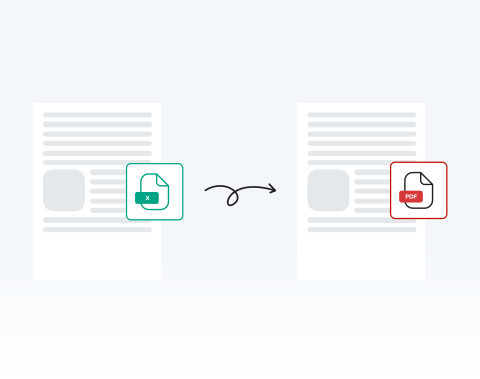

Save time with instant online conversion
Upload your Excel spreadsheet and receive a ready-to-share PDF within seconds. No waiting for heavy software to open. No exporting errors. You stay productive and meet deadlines confidently.
Converti rapidamente i tuoi fogli di calcolo Excel con il nostro potente strumento.

or drag and drop

SSL Encryption - Supports PDF up to 100 MB and other formats and extensions up to 25 MB



Ready to get started with the best-rated tool to convert Excel to PDF? Find out how it works below.
Cambia istantaneamente il tuo foglio di calcolo in PDF:
Select and upload your Excel sheet directly from your device.
Click the ‘‘Convert’’ button to start the conversion instantly.
Confirm PDF as your desired output.
Download your finished PDF immediately or share it securely.
Upload your Excel spreadsheet and receive a ready-to-share PDF within seconds. No waiting for heavy software to open. No exporting errors. You stay productive and meet deadlines confidently.

Our system preserves tables, charts, cell alignment, and layout structure exactly as designed. Your converted PDF maintains professional consistency across devices and printers.

Using Microsoft Windows, macOS, or Linux? You can convert your Excel files directly in your browser without compatibility issues or additional configuration. Use the online tool no matter where you are in the world, at any time.

Use your PC, tablet, Android phone, or Apple device to turn spreadsheets into PDFs online. This flexibility empowers remote teams, field professionals, and traveling executives to work without interruption. All you need to get started is an internet connection.

You can open MergedPDF in Chrome, Opera, Edge, Safari, or Firefox and start converting your spreadsheet files immediately. You don’t need any extra extensions, so you can start right away.

Your files are protected with SSL encryption during upload and processing. After converting your Excel file to PDF, you can delete your documents from our servers for added privacy.



Start by creating a free account and make it easy to edit, convert, compress, and split your files!
Everything you need to know about converting Excel to PDF.
La conversione di Excel in PDF aiuta a mantenere la formattazione e il layout del documento, garantendo che il contenuto appaia allo stesso modo su tutti i dispositivi.
È anche un formato più universale per la condivisione, poiché non tutti possono disporre di Excel o di un software per fogli di calcolo compatibile.
Assolutamente! Il nostro strumento dà priorità alla sicurezza degli utenti, garantendo che tutti i file Excel caricati siano crittografati durante il processo di conversione e vengano eliminati dai nostri server dopo un certo periodo.
No, il nostro convertitore da Excel a PDF è interamente online. Non dovrai scaricare o installare alcun software sul tuo dispositivo.
Sì, poiché il nostro convertitore è basato sul Web, funziona perfettamente su Windows, Mac e persino dispositivi mobili.
Sì, offriamo uno strumento di conversione da PDF a Excel. Puoi accedervi sulla nostra piattaforma e convertire i tuoi documenti secondo necessità.

