



Fully online service
Work entirely in your browser. There is no software to install, and no storage space consumed on your device. All you need to get started is a device with an internet connection.
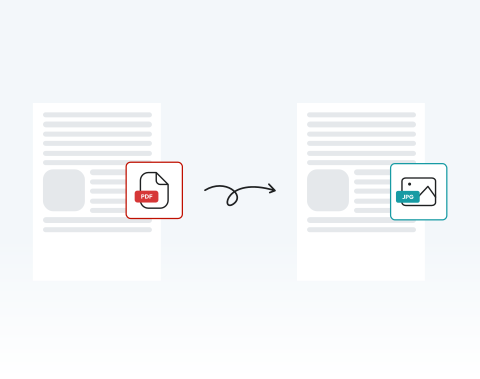
Trasforma istantaneamente il tuo PDF in JPG con il nostro strumento semplificato.

or drag and drop

SSL Encryption - Supports PDF up to 100 MB and other formats and extensions up to 25 MB



Convert PDFs to JPGs anytime, anywhere, with our top-rated tool.
Drag and drop your file into the upload area or click the upload button.
Click the "Convert" button.
Click on the JPG file format option.
Save your converted page as a JPG image.
Work entirely in your browser. There is no software to install, and no storage space consumed on your device. All you need to get started is a device with an internet connection.

Our optimized system converts from PDF to JPG within seconds, even for multi-page documents. This keeps your projects on schedule and your team productive.

Our tool works on Microsoft Windows, macOS and Linux. You can convert .pdf to .jpg from any operating system without compatibility issues.

Use your PC, tablet, Android phone, or Apple device. The platform adapts seamlessly, allowing you to convert PDF to JPG online from the office, classroom, or on the move.

Works flawlessly on Chrome, Opera, Edge, Safari, and Firefox. No plugins required. Just open your browser and start converting.

All uploads are protected with SSL encryption. Your documents remain confidential throughout the entire conversion process. Enjoy peace of mind when handling contracts, internal reports, or legal records.



Start by creating a free account and make it easy to edit, convert, compress, and split your files!
Everything you need to know about converting PDF to JPG.
Basta caricare il file PDF, apportare le modifiche e fare clic sul pulsante «Converti». Dopo alcuni istanti, i file JPG convertiti possono essere scaricati o condivisi.
Offriamo una gamma di strumenti in grado di convertire vari formati di file in JPG. Basta accedere alla pagina relativa al tipo di strumento di cui hai bisogno.
JPG e JPEG sono essenzialmente lo stesso formato, con «.jpg» e «.jpeg» con estensioni di file diverse. Il nostro convertitore accetta entrambi i formati.
Assolutamente! Il nostro strumento completo offre una gamma di funzioni per modificare il documento secondo necessità. Una volta terminato, premi «Converti» e il tuo nuovo file JPG mostrerà tutte le modifiche apportate.

