


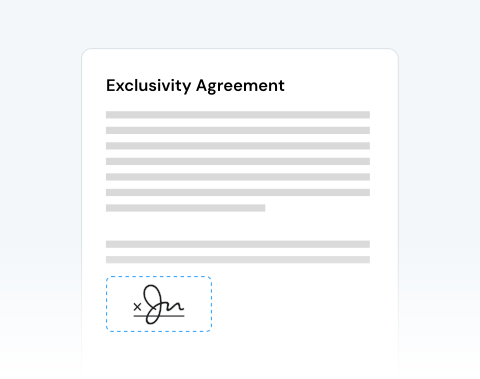

Fast document turnaround when time matters
When contracts need same-day approval or clients wait for confirmation, speed becomes critical. Upload, sign, and download your document within minutes and keep projects moving forward without interruption.
Firma i tuoi documenti con la nostra procedura guidata di firma facile da usare. Carica il tuo file e aggiungi subito la tua firma!

or drag and drop

SSL Encryption - Supports PDF up to 100 MB and other formats and extensions up to 25 MB



Sign your documents in seconds with the top-rated eSign tool by users.
Usa il nostro semplice strumento di modifica per aggiungere la tua firma elettronica (firma elettronica) ai tuoi PDF:
Upload your document directly from your device.
Click the Sign tool inside the editor.
Choose to draw your signature, upload an image, or type your name in a professional handwritten style.
Drag and position your signature anywhere in the document.
When contracts need same-day approval or clients wait for confirmation, speed becomes critical. Upload, sign, and download your document within minutes and keep projects moving forward without interruption.

The interface is clean and focused. You upload your file, create your electronic signature, and place it exactly where it’s required. No complex menus. No confusion. Just clear action.

MergedPDF works seamlessly across all major operating systems (Microsoft Windows, Apple macOS, or Linux), so your team can collaborate without compatibility barriers.

Sign documents from your PC, laptop, tablet, Android device, or iPhone. You can insert your signature in a PDF without slowing down your workflow, no matter where you are.

We protect every file transfer with advanced SSL encryption. Your documents remain confidential, and you control your data. After signing, you can permanently remove your files from our servers.

This tool is designed for anyone who requires reliable document handling and secure electronic signatures. It’s perfect for businesses, legal teams, HR departments, finance professionals, researchers, and students.

Start by creating a free account and make it easy to edit, convert, compress, and split your files!
Everything you need to know about signing documents online.
Tramite il nostro sito, puoi aggiungere una firma elettronica al tuo PDF seguendo questi passaggi:
Il modo più rapido e semplice per aggiungere una firma a un PDF è utilizzare il nostro strumento online. Bastano pochi minuti per caricare il documento, firmarlo elettronicamente e scaricare il file finito.
La nostra procedura guidata per la firma ti consente di firmare i tuoi documenti in diversi modi, incluso il caricamento di un'immagine della tua firma e l'uso del mouse o del trackpad per firmare direttamente il PDF.
Una firma elettronica, o firma elettronica, è una versione digitale della tua firma. Se aggiunto a un documento, è legalmente valido.
La tua firma può essere scritta a mano e quindi scansionata per creare la copia elettronica.
Il nostro editor PDF offre un modo per creare o aggiungere firme elettroniche ai tuoi documenti.
Esistono diversi modi per creare una firma elettronica:
Dipende dalla forma e dall'organizzazione con cui hai a che fare. Alcune autorità e aziende potrebbero accettare il nome digitato come prova del consenso.
Tuttavia, molte entità insistono sulla tua firma univoca, come nel caso di un documento cartaceo ufficiale. In questi casi, dovrai aggiungere una firma elettronica ufficiale per renderla legalmente vincolante.
I nostri servizi possono aiutarti a farlo. La nostra procedura guidata per la firma offre diversi modi per firmare un modulo o un documento online con una firma elettronica.
Sì, puoi utilizzare i nostri servizi di modifica PDF sul tuo smartphone, incluso lo strumento di firma.
Puoi disegnare la tua firma sul documento utilizzando il touchscreen o aggiungere una firma elettronica che hai salvato sul tuo telefono o sul cloud.
Sì, puoi modificare e cambiare la firma sul tuo documento utilizzando i nostri strumenti di modifica.
Puoi aggiungere più firme se necessario ed eliminare quelle che hai aggiunto per errore.
Il nostro editor PDF è progettato per semplificare le modifiche ai documenti, inclusa la firma.

