


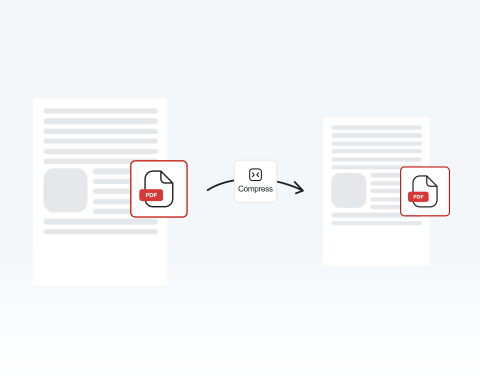

Online service with no installation required
Compress your PDF online directly in your browser. No software downloads needed. Simply upload your file, compress it, and continue working without disrupting your workflow.
圧縮ツールを使用すると、クリックするだけでPDFファイルのサイズを縮小可能

or drag and drop

SSL Encryption - Supports PDF up to 100 MB and other formats and extensions up to 25 MB



Stop worrying about large files and take control of your storage with MergedPDF.
オンラインの「PDF圧縮」機能を使用すると、数秒でファイルを圧縮できます。
Drag and drop your PDF file or click on "Upload Document".
Press the "Convert" button.
Choose the compression option to reduce the PDF file size.
Download or share your compressed file.
Compress your PDF online directly in your browser. No software downloads needed. Simply upload your file, compress it, and continue working without disrupting your workflow.

Our PDF compressor processes files quickly so you meet strict upload and email deadlines without compromise.

The clean editor guides you step by step, making it easy to decrease PDF size even if you’re not savvy. Simply upload, compress, download. It’s designed for speed and clarity.

Use our tool on Windows, macOS, or Linux systems without configuration issues. Teams working across different operating systems can compress PDF files seamlessly while maintaining consistency.

Resize PDF documents from anywhere at any time with your PC, tablet, Android device, or iPhone. It’s perfect for remote teams and students working between home and campus.

Our online PDF compressor runs smoothly on Chrome, Opera, Edge, Safari, and Firefox. Compress files instantly from any modern browser without compatibility issues or technical barriers.

Start by creating a free account and make it easy to edit, convert, compress, and split your files!
Everything you need to know about compressing PDF files.
PDF圧縮ツールは、PDFファイルのサイズを縮小できるツールです。これは、ファイルサイズ制限がある場合の送信やアップロードに便利です。
当社のようなオンラインツールなら、プログラムをインストールする必要がありません。
ファイルを圧縮すると、文書のより小さなバージョンが生成されます。これは、使用するピクセル数を減らすことで解像度を下げることで実現されます。より多くのピクセルを使用するために必要なデータを削除すると、ファイルサイズが小さくなります。
これにより、ドライブ上の占有スペースが減り、ファイルの共有や使用が容易になります。
当ウェブサイトの「PDF圧縮」機能を使用すると、すぐに圧縮できます。必要なのはインターネット接続のみ — プログラムをダウンロードする必要はありません。
文書をアップロードし「圧縮」をクリックするだけで、数秒でファイルサイズが縮小されます。
PDF文書をメールで送信したり、他のプラットフォームにアップロードしたりできない場合は、ファイルサイズが大きすぎる可能性があります。
このような場合、ファイルを圧縮して利用可能にするのが最善策です。
これは、ハードドライブの容量節約にも有効な方法です。
当社の圧縮ツールは、文書の高品質を維持します。ただし、圧縮設定によって異なります。ファイルを過度に圧縮すると、特に画像の品質低下を招く可能性があります。

