


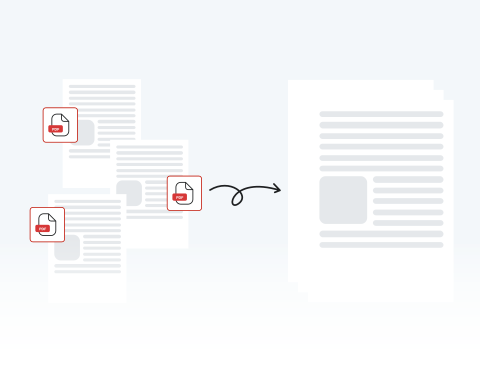

Organize your documents with a merged PDF
Skip the chaos of scattered files by consolidating them into a single, organized document, making it simple to compile receipts for a specialized report or organize chapters for a book.
PDF結合ウィザードを使用すると、複数のPDF文書を1つのファイルに結合できます。

or drag and drop

SSL Encryption - Supports PDF up to 100 MB and other formats and extensions up to 25 MB



Keep reading to learn how to combine PDF files with our tool and put your notes, drafts, and more into a single document for a more efficient workflow.
当社の結合ツールをご利用いただけます。複数のPDF文書を1つのファイルに結合するには、以下の基本手順に従ってください。
Upload the file you want merged by dragging and dropping or by clicking "Upload Document".
Add the documents you want combined with the original file that you uploaded.
Combine your PDF files into one.
Save your finished file and put it to use.
Skip the chaos of scattered files by consolidating them into a single, organized document, making it simple to compile receipts for a specialized report or organize chapters for a book.

Go beyond simple file combination by correcting typos, adding signatures, or highlighting key concepts directly within our all-in-one PDF editing platform.

Easily upload, reorder, and combine your documents in minutes with MergedPDF’s straightforward interface designed for experienced professionals and casual users.

Your privacy is our priority, which is why our tool uses industry-standard SSL encryption. Process your documents with confidence, knowing our platform is built to keep your files confidential and 100% secure.

Access our PDF merger from any device or browser, including Chrome, Firefox, and Safari, without compatibility problems or needing to download any additional software.

Our tool can be used anytime, anywhere with an internet connection on your computer, laptop, or smartphone.

Start by creating a free account and make it easy to edit, convert, compress, and split your files!
Everything you need to know about merging documents.
文書を結合するとは、複数のファイルを1つにまとめることを意味します。PDFを結合する場合、最終的なPDFには元のファイルの全ページが含まれます。
当サイトのPDF結合ツールを使用して、文書を結合してください。すべてのプロセスは、オンラインで行われます。
ファイルをアップロードし、必要な編集を加えた後、「結合」ボタンをクリックまたはタップしてください。それにより、ダウンロードまたは共有可能な結合済み文書が完成します。
いいえ、オンラインでPDFを結合できます。実際、このページから直接操作可能です。当ツールを使用すると、複数の文書を数秒でアップロードおよび結合できます。
PDF結合のためにソフトウェアをダウンロードおよびインストールする手間は不要です。必要なのは、インターネット接続だけです!
はい、スマートフォンから当ツールをご利用いただけます。当サイトでは、あらゆるデバイスからPDFの結合、編集、変換、圧縮が可能です。
スマートフォンに保存されているPDFも、ボタンをタップするだけで結合できます。
はい、当社のPDF結合ツールはOperaを含むすべてのブラウザで動作します。Opera、Chrome、Firefox、Safariのいずれを使用している場合でも、当サイトで素早く簡単に文書を結合できます。
はい、当サイトはAndroidを含むすべてのオペレーティングシステム (OS) に対応しています。

