


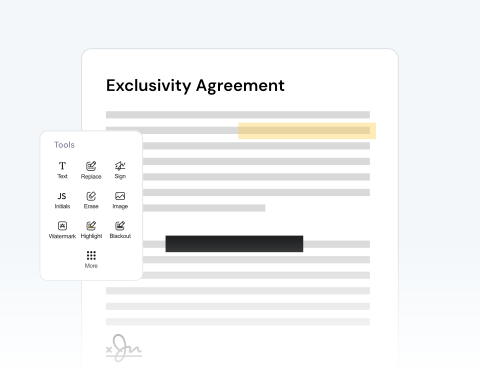

Annotate & comment on PDFs online
Highlight important terms in contracts or add study notes to your documents with our platform, which allows you to review and mark up documents instantly from any online device.
PDFをアップロードし、多彩なツールで編集しましょう。

or drag and drop

SSL Encryption - Supports PDF up to 100 MB and other formats and extensions up to 25 MB



Find out how to modify a PDF online below and optimize your productivity.
PDFエディタの使い方は非常に簡単です。
Drag and drop your PDF or use the "Upload" button.
Import images, add a signature, draw directly on the PDF, and more.
Change the format of your file to Word, JPG, etc, if necessary.
Once you're happy with the document, download it and/or share it.
Highlight important terms in contracts or add study notes to your documents with our platform, which allows you to review and mark up documents instantly from any online device.

Noticed a typo or mistake in your document? Upload your file in seconds and make corrections to a resume, update pricing on an invoice, modify dates, and more.

Need to add an image? Or, want to include more text? You can easily insert company logos into reports, tack on new text fields, or circle critical details with our drawing features.

You can share your PDF with others so that they can also add comments. This is very useful if you’re working with other contributors. Share directly from our site to speed up the process.

Our platform is optimized for all major browsers, including Chrome, Safari, Firefox, and Edge. Simply make sure you have reliable access on any operating system.

Our mission is to provide the best PDF editor available. Our tool is reliable, secure, and produces the best results. We pride ourselves on customer satisfaction and make sure your files remain private.



Start by creating a free account and make it easy to edit, convert, compress, and split your files!
Everything you need to know about editing documents.
オンラインPDFエディタは、インターネット経由でアクセスするデジタルプラットフォームで、PDF (Portable Document Format)ファイルを編集するためのツールと機能を提供します。
インストールが必要なスタンドアロンソフトウェアとは異なり、オンラインPDFエディタはウェブブラウザから直接動作するため、軽微な編集や外出先での作業に便利で、多くの場合、より高速です。
EditorでPDFを開くと、編集プロセスを支援するさまざまなオプションがサイドメニューに表示されます。
文書の総ページ数を一目で確認できます。このメニューから、以下のような多様な機能をご利用いただけます。
もちろんです!当プラットフォームは、ユーザーが文書を細かく制御できるように設計されています。PDFの各ページに対して、専用のツールを使用して以下の操作を行うことができます。
PDF に必要な変更をすべて加えた後、当社のプラットフォームでは、編集した文書を管理および配布するための複数のオプションを提供しています。以下の操作が可能です。

