


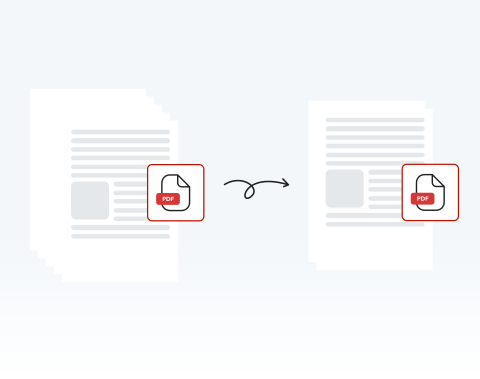

Delete unwanted pages 100% online
If there are pages that you don’t want, you can get rid of them in just a few clicks. Best of all, with our website, you can delete PDF pages online — no installation required!
PDF文書からページを削除する必要がありますか?当社のオンラインPDFエディタは、あらゆるニーズに応える最適なツールです。今すぐ素早く簡単にページを削除しましょう!

or drag and drop

SSL Encryption - Supports PDF up to 100 MB and other formats and extensions up to 25 MB



Keep reading to learn how to delete pages from a PDF and make your documents ready to use.
PDF文書から必要なページをすべて削除するには、以下の簡単な手順に従ってください。
Use the "Upload" button or drag and drop the PDF you want to delete pages from
Hit the "Rearrange Pages" button on the toolbar at the left side of the dashboard, and choose the page(s) to delete
Click on the "Delete" button to remove the selected pages
Once the pages are deleted, download the new PDF or share it
If there are pages that you don’t want, you can get rid of them in just a few clicks. Best of all, with our website, you can delete PDF pages online — no installation required!

You don’t have to worry about deleting the whole document or large chunks of it — you can select any and all pages that you need to remove on our platform and delete them with ease.

Computer, smartphone, or tablet, we’ve got you covered! You can remove pages from your PDF on our website whether you use PC or Mac; iPhone or Android. We support all browsers and OSs too!

Deleting pages from a PDF couldn’t be safer than on our site. All files and data are encrypted to keep them secure and private, and they are removed from our servers after use.

Want things to be as simple as possible? You’ve come to the right place! We pride ourselves on how easy our site is to use. It’s designed for your convenience. Try it out and see!

Our platform is regarded as one of the best around. Why? It’s quick, user-friendly, and secure. You also have access to a range of other tools to edit your PDF. What more could you need?

Start by creating a free account and make it easy to edit, convert, compress, and split your files!
Everything you need to know about removing pages from PDFs.
はい、当サイト上でPDFファイルから個々のページを削除できます!
当社のPDF編集ツールでは、任意のPDF文書から好きなページを削除できます。
ファイルをドラッグ&ドロップするか、「文書をアップロード」をクリックするだけで開始できます。
当社のPDFエディタを使用すると、ボタンをクリックするだけで文書から任意のページを選択して削除できます。複数の特定ページを選択して、削除することも可能です。ほんの数秒で完了します!
手順は以下のとおりです。
PDFエディタでは、削除したいページを自由に選択して削除できます。削除したいページをすべて選択し、「ページを削除」をクリックするだけです。
もちろんです!当社のPDFエディタには多様な機能があります。既存ページの複製、新規空白ページの追加、各種要素の挿入が可能です。
これらの操作はすべて、オンライン編集ツールのツールバーから行えます。
はい、誤って削除した場合や何らかの理由で削除したページを復元したい場合は、「ページを選択」ウィンドウのツールバーにある「元に戻す」をクリックするだけで復元できます。
ただし、編集を完了して文書を保存した後は、削除したページを復元することはできません。この場合、削除したページにアクセスするには、元のバージョンの文書を再アップロードする必要があります。

