


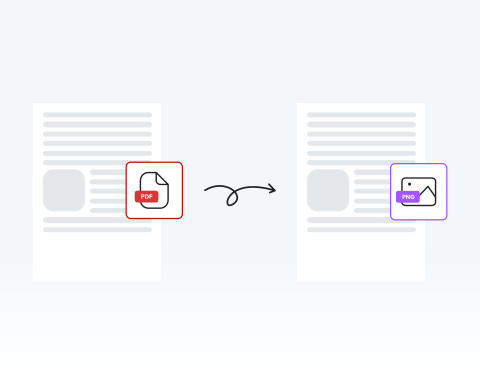

Get PNG versions of your PDFs online
No third-party software required to convert your file. Our PDF to PNG converter is 100% online. Convert your PDF files to PNG wherever you are, on any device connected to the internet.
ファイル変換が簡単に!今すぐPDFをPNGに変換しましょう

or drag and drop

SSL Encryption - Supports PDF up to 100 MB and other formats and extensions up to 25 MB



Get started with our converter tool in a few easy steps.
PDF文書のPNGバージョンが必要ですか?以下の簡単な手順に従って、簡単に変換できます。
Click the upload button or simply drag and drop.
Select the convert option at the top of the dashboard
Choose the PNG option to convert your file.
Put the PNG version of your file to use.
No third-party software required to convert your file. Our PDF to PNG converter is 100% online. Convert your PDF files to PNG wherever you are, on any device connected to the internet.

Instantly switch from PDF to PNG with MergedPDF while maintaining a high-quality format. All you need to do is drag and drop your file, hit the “convert” button, and download your finished PNG.

You can use our platform to start distributing your PNG immediately. Save your converted file to your device or share it directly from the MergedPDF.

Access our online converter through any device, using your preferred browser. Whether you use Chrome, Microsoft Edge, Opera, or Firefox, you can change your PDFs to PNGs easily.

Your PDF and PNG files are safeguarded by our security systems. All files and data are encrypted to protect your documents and information. One of our key values is privacy and security for clients.

There’s a reason so many people choose MergedPDF to get PNG versions of their PDFs. Our user-friendly converter, secure servers, and 24/7 customer support make us leaders in our field.

Start by creating a free account and make it easy to edit, convert, compress, and split your files!
Everything you need to know about converting PDF to PNG.
当サイトを通じて、お好きなPDFファイルを完全にオンラインでPNGに変換できます。ご使用のパソコンやデバイスに、ソフトウェアをインストールする必要はありません。当ツールは100%オンラインで、PDFを数秒でPNG形式に変換できます。
PNGファイルはJPEGファイルよりも画質が維持されます。JPEGは開いて保存するたびに圧縮がかけられ、情報が失われます。一方PNGは非可逆圧縮ファイルであり、保存するたびに同じ画質が保たれます。
PNGのもう1つの利点は、高コントラストでディテールの多い画像を非常にうまく処理できることです。
BMPファイルも非可逆圧縮で多くのディテールを保持しますが、圧縮されていません。これは、PNGよりもはるかに大きなファイルサイズとなり、ドライブの容量をより多く消費することを意味します。
つまり、画質を損なわずに容量を節約するには、PNGが最適な選択肢と言えるでしょう。
当社のオンラインでPDFからPNGへのコンバーターをご利用ください!この便利なオンラインツールは、変換プロセス中に品質を維持するように設計されています。PDFをアップロードし、必要な変更を加えた後、「変換」をクリックするだけで、完成したPNGファイルを入手できます。

