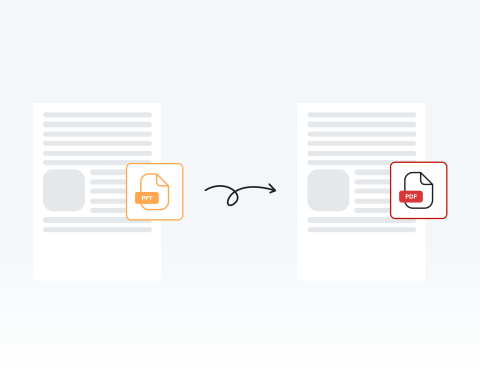
PowerPointからPDFへのコンバーター

PowerPoint コンバーターを使用して、スライドを PDFファイルに変換する

Choose your File

or drag and drop

SSL Encryption - Supports PDF up to 100 MB and other formats and extensions up to 25 MB

Excellent 4.6 out of 5

Our PPT to PDF converter allows you to:

  • 既存のテキストの編集、追加、削除
  • 直接署名または署名のアップロード
  • 文書への直接描画
  • あらゆる形式に対応:PDF、PNG、JPG、Word、Excel、PowerPoint

Try it now and see how easy it is to convert your PPT to PDF in seconds.

PowerPointからPDFへの変換:手順

スライドショーをPDFファイルに変換するには、以下の簡単な手順に従ってください。

1

Upload your PPT

Drag and drop your PPT or hit the "Upload Document" button.

2

Click convert

Click on the "Convert" button to change format.

3

Select PDF format

Click on the PDF option.

4

Download or share

Download the converted file to your device or share it.

Why Choose MergedPDF as Your PPT to PDF Converter?

Easy PowerPoint to PDF conversion online

Converting PowerPoint slideshows has never been easier! Simply upload your PPT file, click “convert”, and save your new PDF. It’s that simple!

Blazing-fast PowerPoint to PDF conversion

One of the biggest pros of using MergedPDF is speed. With our platform, you'll have your PDF version of your presentation in seconds.

Secure and reliable PPT to PDF conversion

You can rest easy knowing that your documents are safe. All files uploaded to our platform are encrypted for your privacy and deleted from our servers once you’ve finished.

100% online PowerPoint to PDF conversion. No software needed!

You don’t need to worry about installing a program when you use our service. All you need is an internet connection to switch your files from PPT to PDF online here on our website.

Universal compatibility: convert PowerPoint files on any device

You can use our platform on any device, including PCs, Macs, smartphones, or tablets. Whatever your preference of operating system or browser, you’ll be able to convert PPTs into PDFs right here.

High-quality PPT to PDF conversion tool

Our platform is versatile, secure, and produces great results. Your slides keep their original layout and clarity, so that the final PDF is ready to share.

Key Functions of PPTs and PDFs

  • PPT files (.pptx/.ppt) are ideal for building engaging slide presentations with text, visuals, animations, and audio.
  • They stay lightweight thanks to ZIP compression, even with multimedia content.
  • PDF (.pdf) files display your content exactly as intended, on any device.
  • They’re lightweight and support rich, interactive features like audio, forms, and animations.

MergedPDF Offers Multiple PDF Solutions

Start by creating a free account and make it easy to edit, convert, compress, and split your files!

  • Edit, convert, merge, and more with our platform
  • Get unlimited edits and downloads
  • Convert in multiple formats
  • 100% private and secure uploads and editing
  • 24/7 customer support

FAQ:PowerPointからPDFへ

Everything you need to know about converting PPT to PDF.

画質を損なわずにPDFに変換するにはどうすればよいですか?

当社のオンラインツールをご利用ください!PowerPointからPDFへの変換時、ファイルの品質が維持されることを保証します。


クリック可能なリンクを保持したまま、PowerPointをPDFに変換できますか?

はい、当ツールはPDF変換時に元のファイルのすべての要素を保持します。これにはクリック可能なリンクも含まれます。PDF文書には元のスライドショーと同じリンクが含まれ、パソコンやデバイスでPDFを表示する際、これらのリンクをクリックできます。


PowerPointプレゼンテーションをPDFに変換すると、書式やフォントは変わりますか?

当社のオンラインPowerPointからPDFへの変換ツールを使用すると、書式とフォントは完全に同じままです。当ツールは、ファイル形式のみを変換しながら、文書の特性を維持するように設計されています。


PDFに変換したPowerPointを編集できますか?

文書に追加の変更が必要な場合は、当ツールを使用して編集を行い、再度「変換」をクリックして更新版を新しいPDFに変換できます。


または、変換済みのPDFを当社のPDFエディタにアップロードし、そのツールを使用して変更を加えることも可能です。


PDFをPowerPointに戻すことはできますか?

はい、専用のツールを使用すると、PDFをPowerPointに変換できます。


Can I convert a PDF back into a PowerPoint?
Absolutely! Our platform features many different conversion options, including switching your new PDF back to its original format.

Simply use our PDF to PPT Converter to change the document back into a PowerPoint presentation.

You can take advantage of the various other features of MergedPDF to convert many other formats to and from PDF.
Is my presentation safe on MergedPDF?
Yes, your presentation is fully safe when you upload it to MergedPDF. We use industry-standard SSL encryption to protect your files during upload and conversion.

Your documents are not shared or accessed by third parties. After using the tool, you can delete your files permanently from our servers.

You retain full control over your data and privacy at all times when you use our tool.
Do I need to install any software to use the PPT to PDF converter?
No, you don’t need to install any software. Everything works directly in your browser. Simply upload your file, convert it, and download the PDF. All you need is a stable internet connection.

This makes the process accessible from any device without taking up storage space.
Can I convert PowerPoint to PDF on my smartphone?
Yes, you can convert PPT to PDF on your smartphone. Our website is fully optimized for mobile devices and tablets. You can upload, convert, and download your files just like on a computer.

This makes it easy to manage your presentations on the go, wherever you are.

Explore Other Tools Besides PPT to PDF Converter