


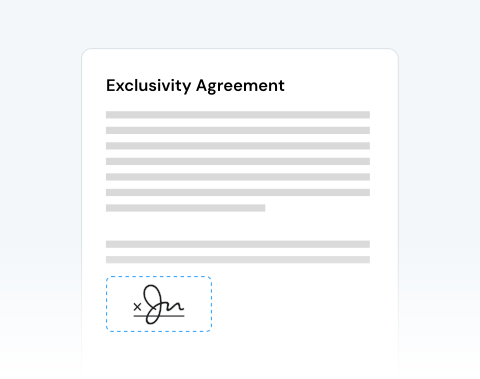

Fast document turnaround when time matters
When contracts need same-day approval or clients wait for confirmation, speed becomes critical. Upload, sign, and download your document within minutes and keep projects moving forward without interruption.
使いやすい署名ウィザードを使用して、文書に署名できます。今すぐファイルをアップロードして、署名を追加しましょう!

or drag and drop

SSL Encryption - Supports PDF up to 100 MB and other formats and extensions up to 25 MB



Sign your documents in seconds with the top-rated eSign tool by users.
シンプルな編集ツールを使用して、PDFに電子署名 (e-signature) を追加します。
Upload your document directly from your device.
Click the Sign tool inside the editor.
Choose to draw your signature, upload an image, or type your name in a professional handwritten style.
Drag and position your signature anywhere in the document.
When contracts need same-day approval or clients wait for confirmation, speed becomes critical. Upload, sign, and download your document within minutes and keep projects moving forward without interruption.

The interface is clean and focused. You upload your file, create your electronic signature, and place it exactly where it’s required. No complex menus. No confusion. Just clear action.

MergedPDF works seamlessly across all major operating systems (Microsoft Windows, Apple macOS, or Linux), so your team can collaborate without compatibility barriers.

Sign documents from your PC, laptop, tablet, Android device, or iPhone. You can insert your signature in a PDF without slowing down your workflow, no matter where you are.

We protect every file transfer with advanced SSL encryption. Your documents remain confidential, and you control your data. After signing, you can permanently remove your files from our servers.

This tool is designed for anyone who requires reliable document handling and secure electronic signatures. It’s perfect for businesses, legal teams, HR departments, finance professionals, researchers, and students.

Start by creating a free account and make it easy to edit, convert, compress, and split your files!
Everything you need to know about signing documents online.
当サイトでは、以下の手順に従ってPDFに電子署名を追加できます。
PDFに署名を追加する最も迅速かつ簡単な方法は、当オンラインツールを使用することです。文書のアップロード、電子署名、完成したファイルのダウンロードまでわずか数分で完了します。
当社の署名ウィザードでは、署名の画像をアップロードする方法や、マウスやトラックパッドを使ってPDFに直接署名する方法など、複数の方法で文書に署名できます。
電子署名 (e-signature) とは、署名のデジタル版です。文書に追加されると、法的効力を持ちます。
署名を手書きで記入し、スキャンして電子コピーを作成することもできます。
当社のPDFエディタを使用すると、文書に電子署名を作成または追加できます。
電子署名を作成する方法は複数あります。
対応するフォームや関わっている組織によって異なります。一部の当局や企業は、同意の証明として入力された名前を受け入れる場合があります。
ただし、多くの組織では、公式の紙文書と同様に、本人の直筆署名を求めることが一般的です。そのような場合、法的拘束力を持たせるためには正式な電子署名を追加する必要があります。
当社のサービスでは、そのお手伝いが可能です。当社の署名ウィザードでは、オンラインで電子署名を用いてフォームや文書に署名する複数の方法を提供しています。
はい、スマートフォンで当社のPDF編集サービス (署名ツールを含む) をご利用いただけます。
タッチスクリーンを使用して、文書に署名を描くか、スマートフォンやクラウドに保存した電子署名を追加できます。
はい、編集ツールを使用して、文書の署名を編集および変更できます。
必要に応じて、複数の署名を追加したり、誤って追加した署名を削除したりできます。
PDFエディタは、署名を含む文書の変更を簡単に行えるように設計されています。

